- 51 -
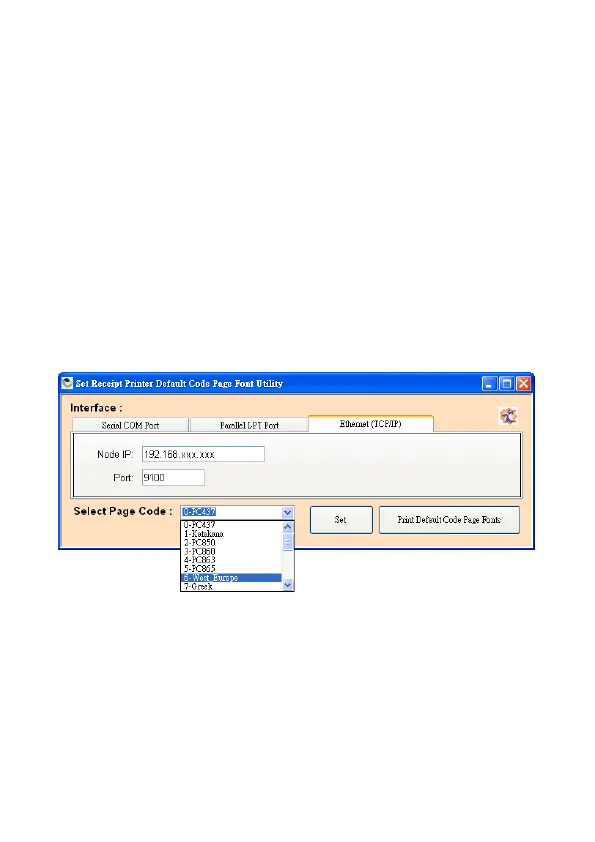
Select Page Code
To select the codepage desired:
1. Make sure to the DIP switch 4 of the printer is set ON
(please refer to DIP Switch Configuration for further
information).
2. Go to the scroll menu and select the preset codepage
desired.
User can enter the codepage number into the field
manually. (Please refer to the printed Self-Test page
for the code number support).
3. Click “Set” button to confirm the setting.
4. Re-initiate the Printer:
Be sure to Turn-Off and Turn-On the printer again to
initiate the printer with new codepage setting.
(User can perform the self-test again to exam the new
codepage setting)


 To Next Page