QUICK START GUIDE
9
u-line.com
2200 SERIES ZWC
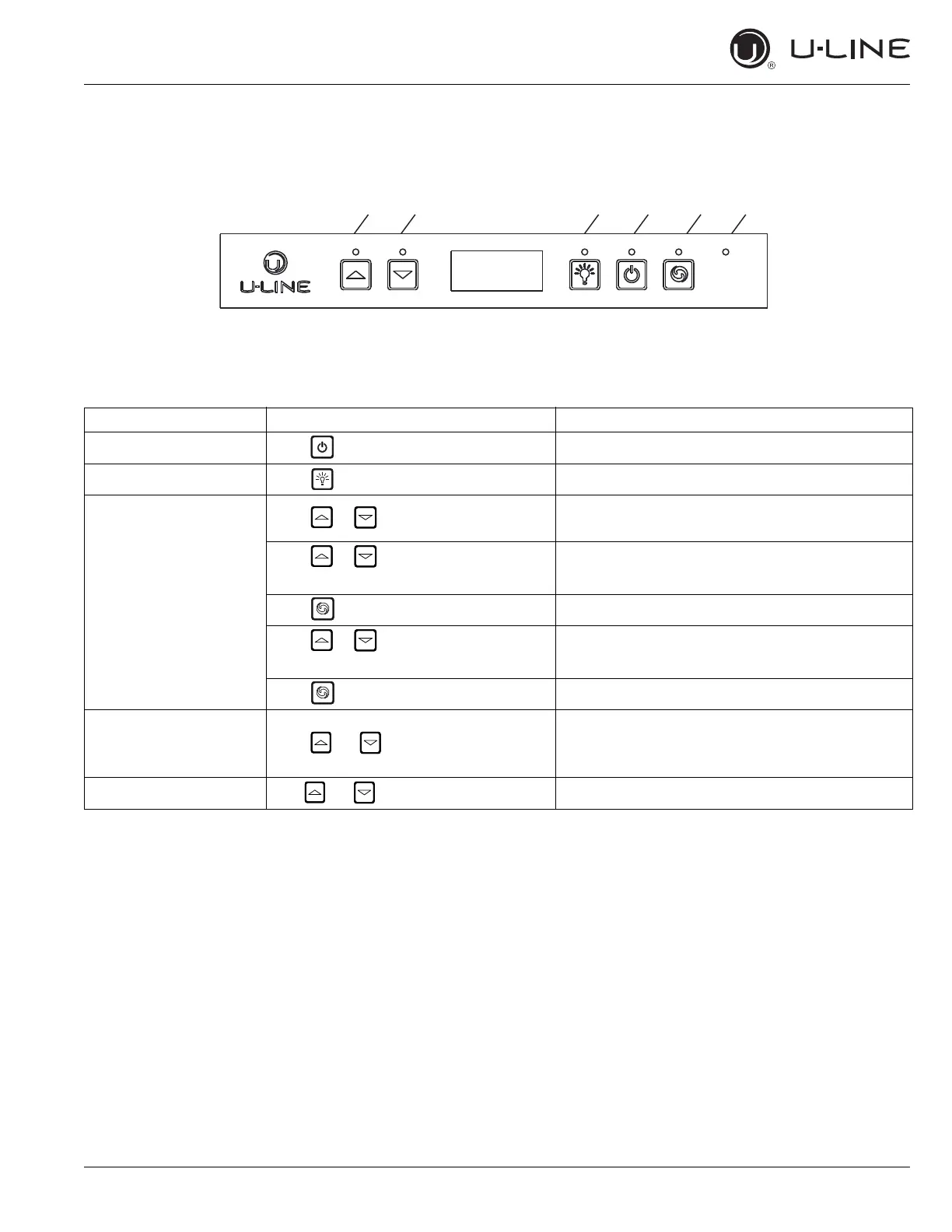
Up Down Light Power
Auxiliary
CONTROL FUNCTION GUIDE
FUNCTION COMMAND DISPLAY/OPTIONS
ON/OFF Press and release Unit will immediately turn ON or OFF.
Toggle lights Press and release Leave interior light on for 3 hours.
Adjust temperature
Press and release
The zone you are setting will have its light turned on
(top zone first).
Press to adjust set point
temperature
Display will show the set temperature.
Press to change zones Light will switch from top zone to the bottom zone.
Press to adjust set point
temperature
Display will show the set temperature.
Press to confirm and exit
View temperature in unit Press together and release
The display will flash and then toggle from set point
to temperature in unit. The temperature shown will
correspond to the illuminated zone.
Toggle between F/C Hold for 5 seconds The display will change units.


 To Next Page
 Loading...