42
Once the proper date and time is set, push the Return arrow to go back to the
Options screen or push the Home icon to return the Home screen.
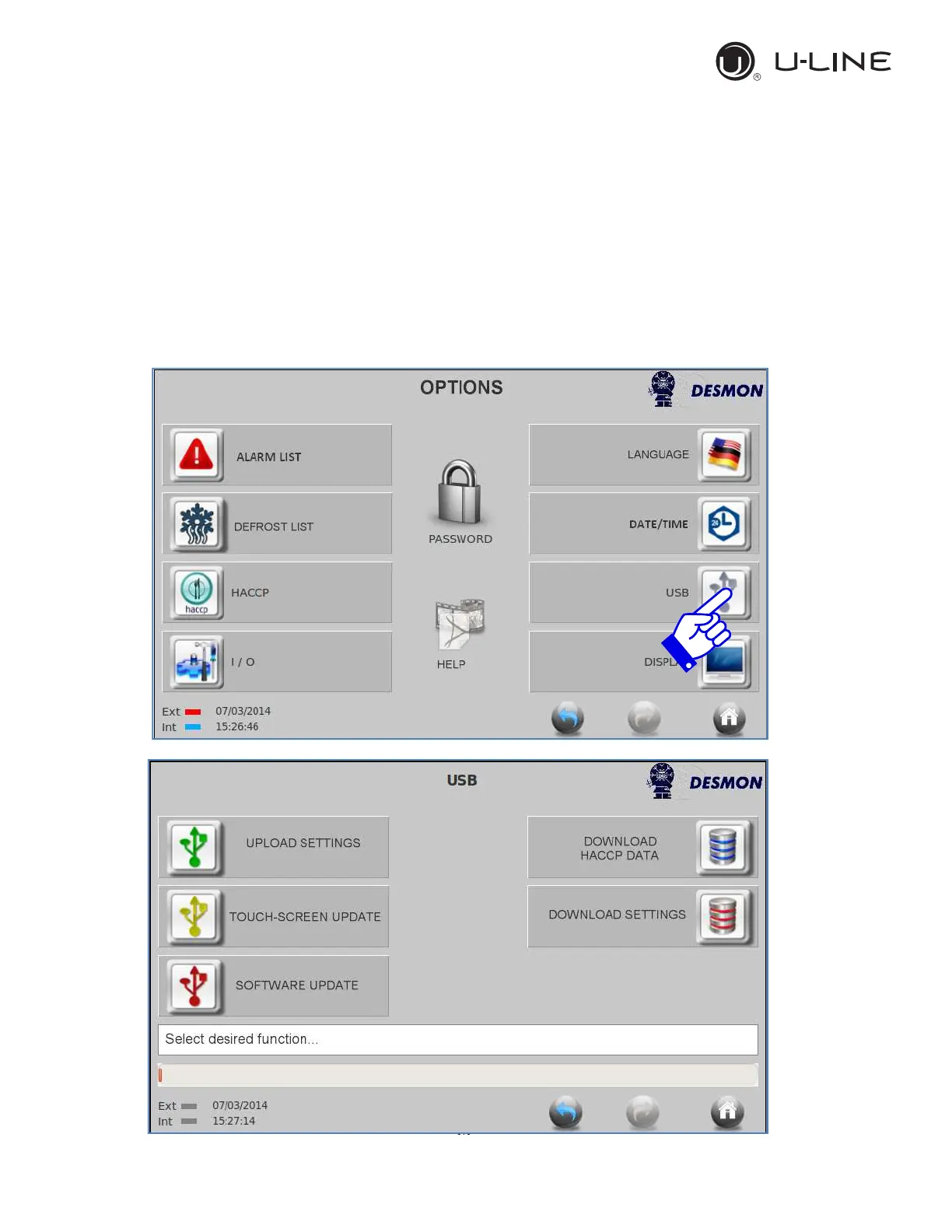
4.6.9. USB functions
Through the USB port, located on the right side of the Touch Screen frame, it’s
possible both to import and export data from/to a USB stick. There are no
special requirement for the type of USB, however an empty formatted USB with
minimum 2 gigs is recommended.



 To Next Page
 Loading...