Step 1 Clear floor space.
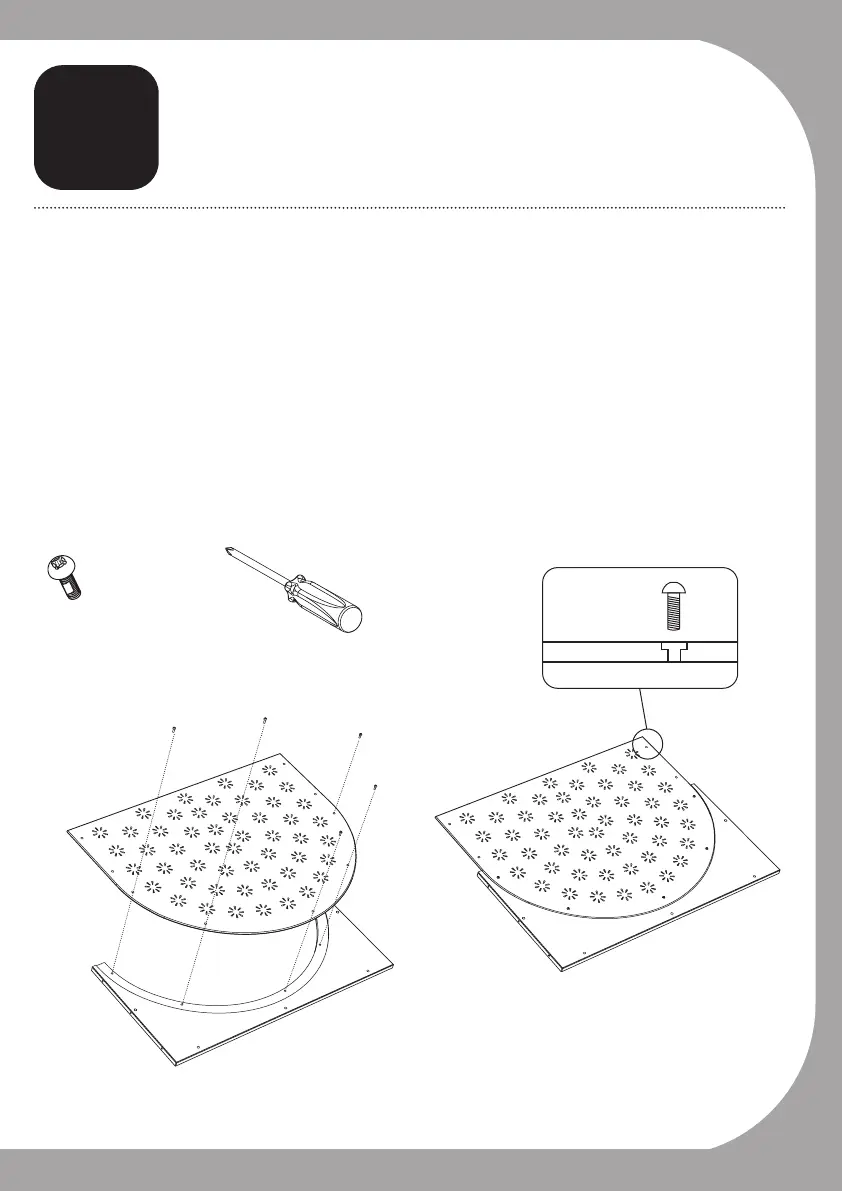
Step 2 Select U-Shaped Side Panel, place flat on ground with recessed edge facing
up.
Step 3 Select an acrylic side panel and with the countersunk holes facing up, place
into U-Shaped Side Panel, aligning bolt holes.
Step 4 Insert five pan head bolts using phillips head screw driver. Please note: Do
not over-tighten.
Step 5 Repeat Steps 1–4 with other side.
B
Side panel assembly
x 2
x 10 Pan
Head Bolts
Screwdriver
9



 To Next Page