AIR CONDITIONER FEATURES(CONTINUED)
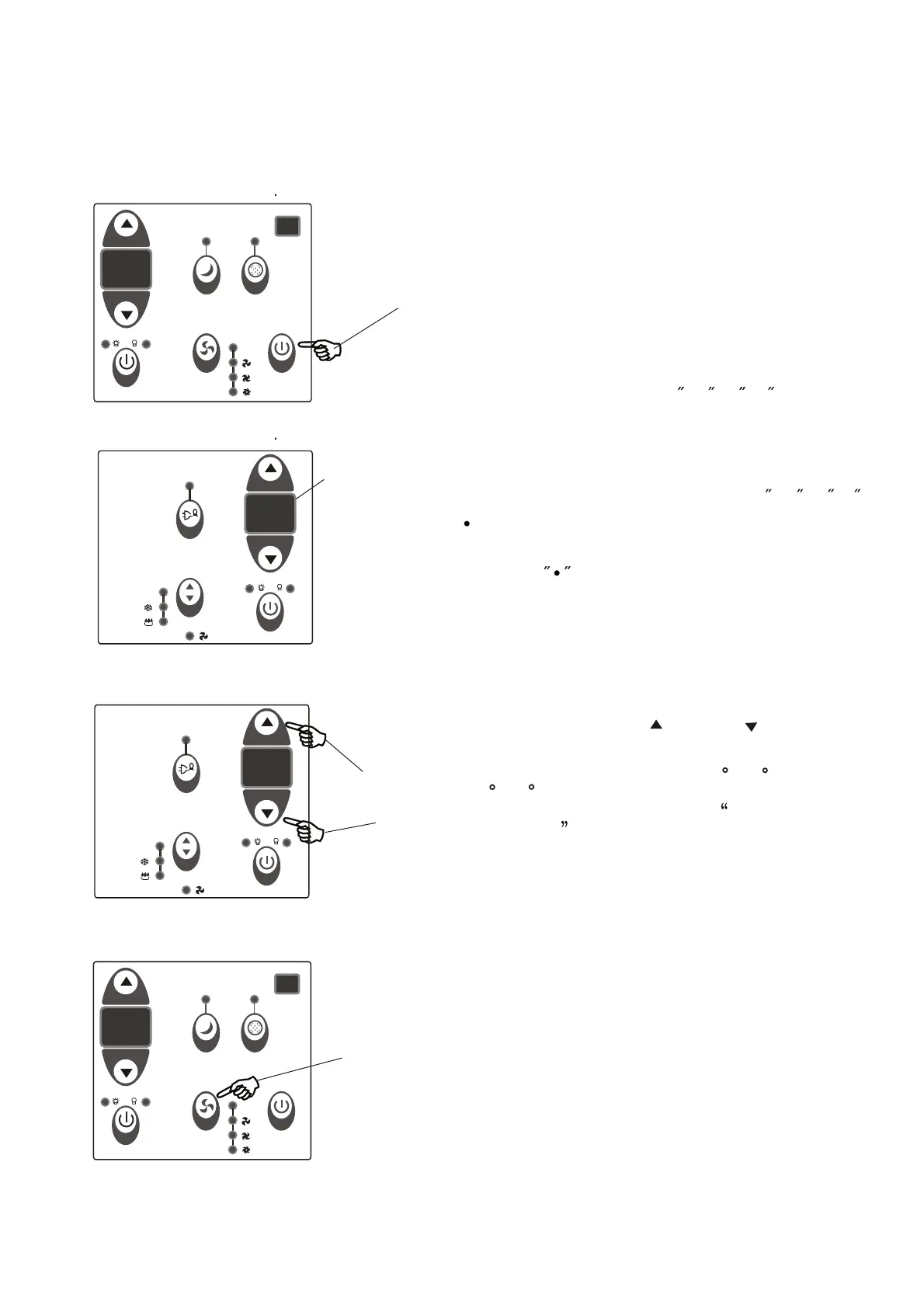
TO TURN UNIT ON:
NOTE: The following instructions represent the Unit Controls, the same instructions can be used
for the Remote Control.
TO CHANGE TEMPERATURE
SETTING:
Press the On/Off button.
DO THIS:
Press to raise
DO THIS:
Press to lower
Press or hold either Up( ) or Down ( ) button
until the desired temperature is seen on the
display. This temperature will be automatically
maintained anywhere between 62 F(17 C) and
86 F(30 C). If you want the display to read
the actual room temperature, see To Operate
on Fan Only section.
NOTE:
TO ADJUST FAN SPEEDS:
Press to select
appropriate fan
speed
DO THIS:
NOTE:
6
ER
ER
DISPLAYS:
Displays
O O
Shows the set temperature in C or F and the
Auto-timer settings.While on Fan only mode,it shows
the room temperature.
DISPLAYS:
-Evaporator temperature sensor error-Unplug the
unit and plug it back in.If error repeats, call for
service.
NOTE: is displayed as shown in the left picture.
HS -Electric heating sensor error-Unplug the unit and
plug it back in.If error repeats, call for service.
Error codes:
AS-Room temperature sensor error-Unplug the unit
and plug it back in.If error repeats, call for service.
NOTE:In Fan only mode,it will display LO or HI .
Used to select the Fan Speed in four steps-
Auto, Low, Med or High. Each time the button
is pressed, the fan speed mode is shifted.For
some models, the fan speed can not be adjusted
under HEAT mode. On Dry mode,the fan speed
is controlled at Low automatically.
Au to
Au to
Au to
Au to



 To Next Page