11
POWER SUPPLY
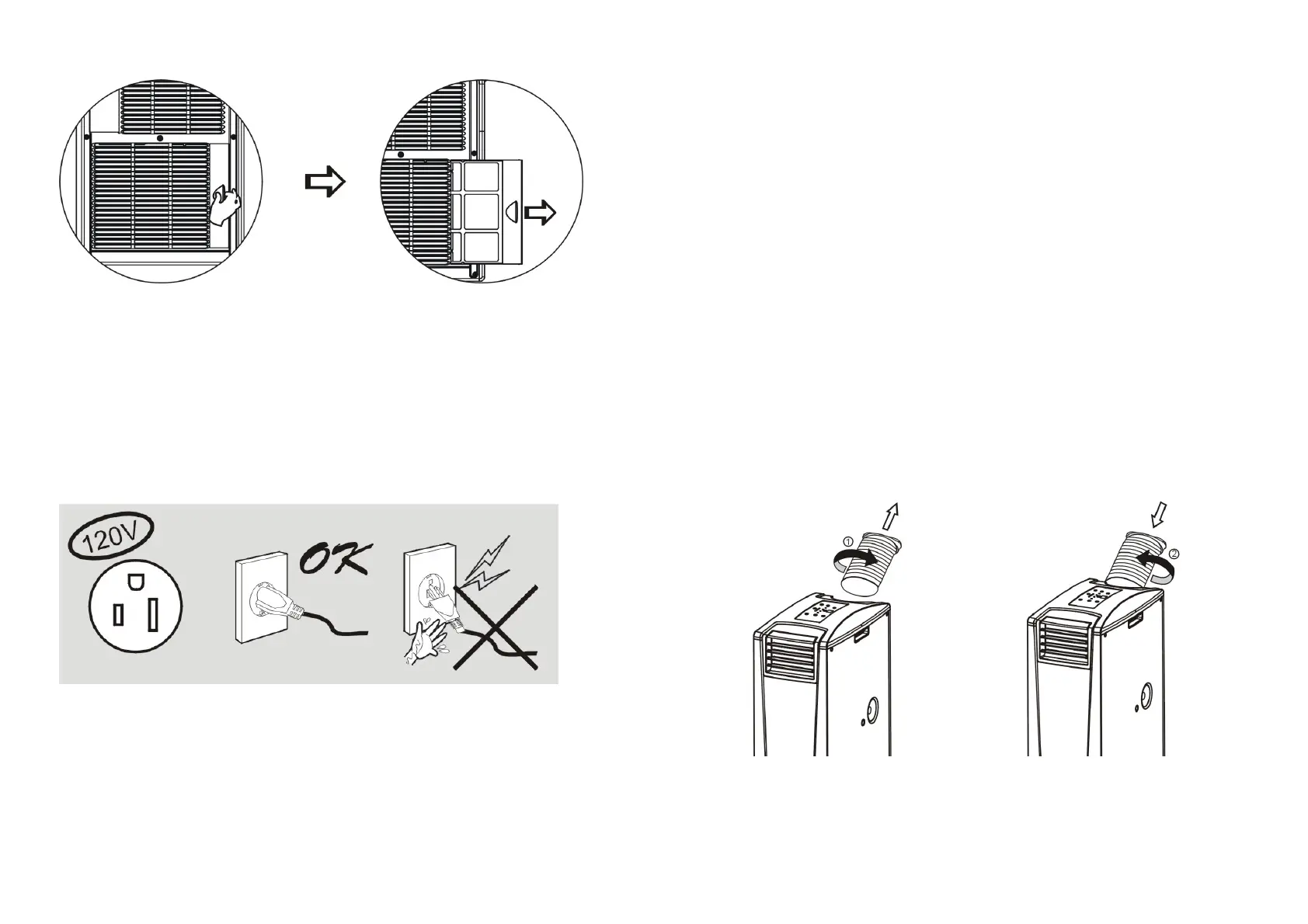
- Make sure the power source has the appropriate voltage.
- Insert the plug into the outlet firmly. In case of a water leak, unplug
immediately.
- Don’t pull the power cord forcefully because it will damage the
power cord.
CHOOSING A LOCATION
- Because the unit expels hot air, please don’t operate it in a tight space.
- To reduce the risk of electric shock, don’t operate the unit in a humid place.
- Don’t place the unit in direct sunlight to avoid fading.
12
HELPFUL HINTS
- The unit is fitted with a special thermal cut-off device.
- Please make sure the unit is not placed against objects that will obstruct
air intake e.g. furniture or curtains, as this will affect its
performance drastically.
- Do not place the unit in direct sunlight, as this may cause the unit to
overheat and turn off.
EXHAUST TUBE REMOVAL &
INSTALLATION
1. To remove: turn exhaust tube according to the direction shown by the arrow and pull
exhaust tube out of the unit.
2. To insert: turn exhaust tube according to the direction shown by the arrow and
push exhaust tube in the unit.



 To Next Page