Siri Eyes Free — If Equipped
Siri lets you use your voice to send text messages, select
media, place phone calls and much more. Siri uses your
natural language to understand what you mean and will
respond back to confirm your requests. The system is
designed to keep your eyes on the road and your hands on
the wheel by letting Siri help you perform useful tasks.
To enable Siri push and hold, then release the Uconnect
Voice Recognition (VR) button on the steering wheel. After
you hear a double beep you can ask Siri to play podcasts
and music, get directions, read text messages and many
other useful requests.
Getting Started
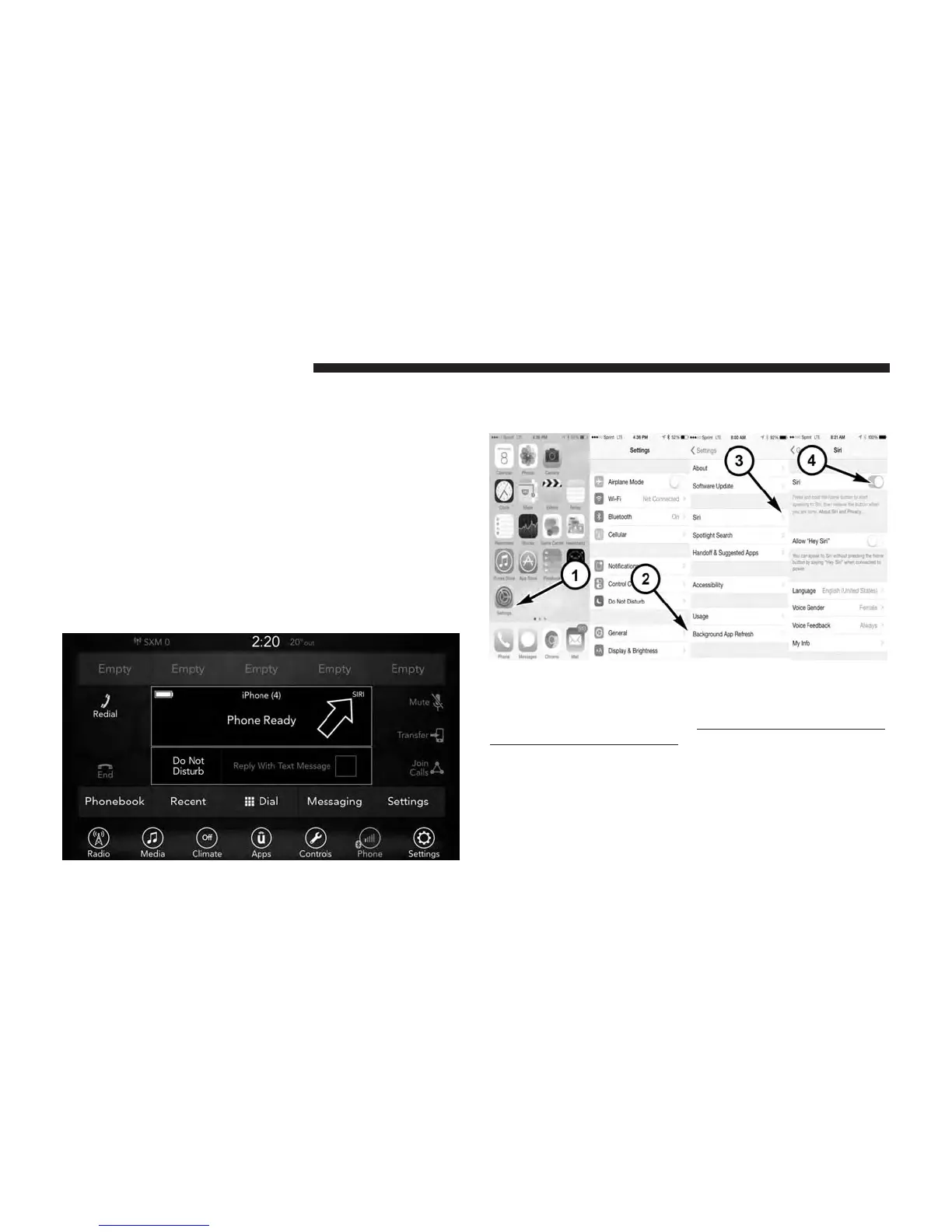
Ensure Siri is enabled on your iPhone.
1. Pair your Siri enabled device to the vehicles sound
system. Refer to “Uconnect Phone” in “Uconnect 7.0”
for a detailed pairing procedure.
1 — Select Settings on your
iPhone
2 — Select General
3 — Select Siri
4 — Enable Siri
64 VOICE RECOGNITION QUICK TIPS



 To Next Page