5
3. SCALE
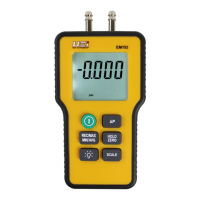
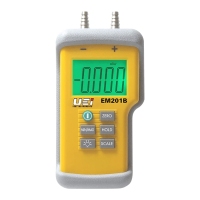
ToselectmBarpressthe“SCALE”buttonontheEM201.Press
“Scale”againtoreturntoinchesofwatergauge.Toselectscale
ontheEM151brieflypressthegreenbutton.
4. MIN/MAX (EM201 Only)
TheEM201willcapturevaluesforboththeminimumand
maximumvaluesread.Toresetzerotheinstrumentorsimply
powerthemeteroff,thenbackon.Capturedvaluescanbe
displayedineitherincheswatergaugeormBar.
5. HOLD (EM201 only)
TheEM201hasadisplayholdfeature.Pressthisduring
readingtofreezethedisplay.Pressagaintoreturnto
actualmeasurement.
6. BACKLIGHT (EM201 only)
TheEM201hasabacklitdisplay.Presstoturnonoroffthe
backlightfeature.
7. Over-range
Iftheinputexceedsthemeterrange“OL”willbedisplayed.
Immediatelydisconnectfromthepressuresupplysafelyto
reducechancesofdamagetotheinstrument.



 To Next Page