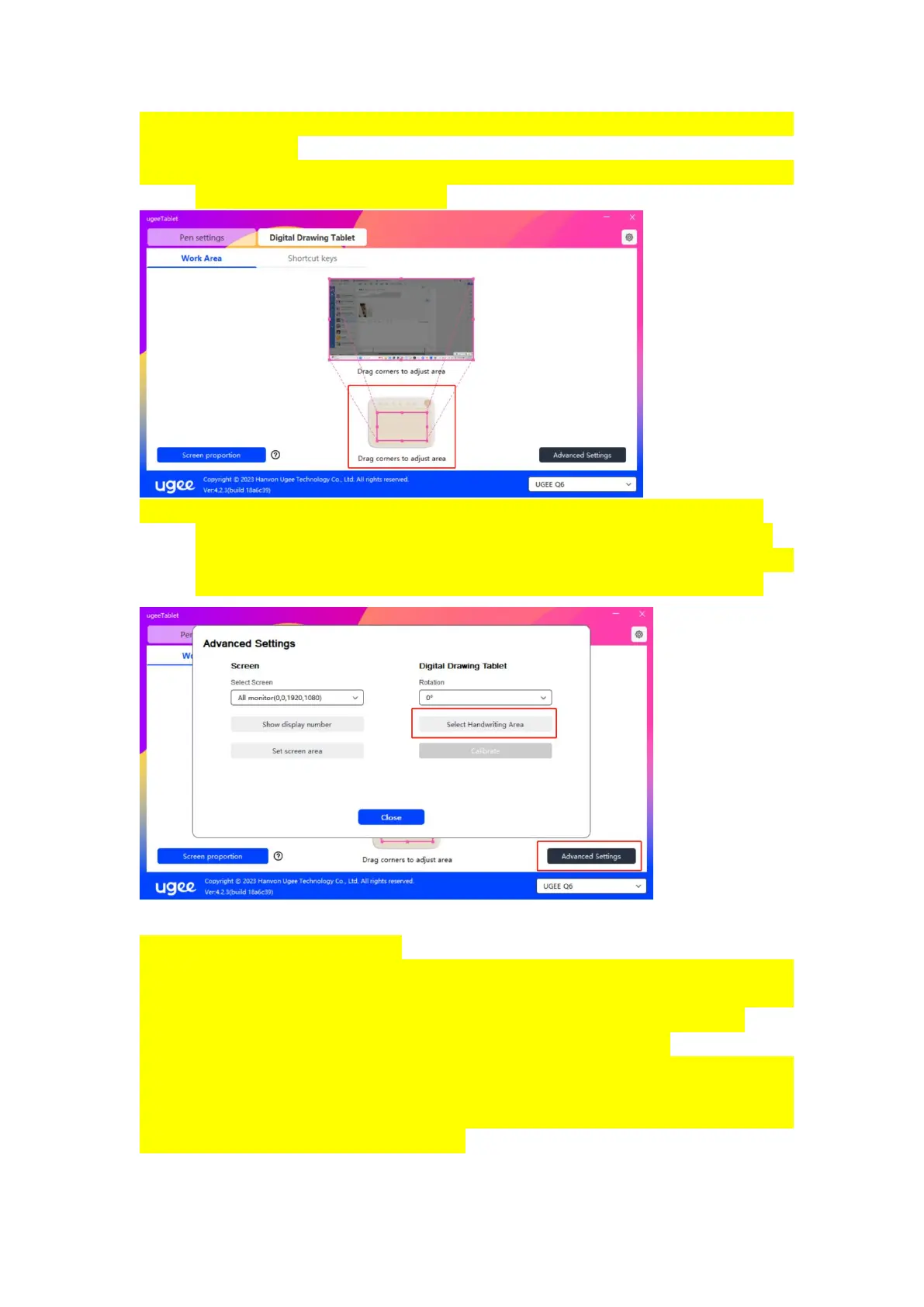
You can set the available area of the current device, following method
to set Work Area:
1、 Drag corners: moves the cursor to the middle or edge of the four
sides, then click and drag.
2、 Select Work Area: click "Advanced Settings", and then select
"Select Handwriting Area". According to the prompts below the
computer display, click the "upper left corner" position the "lower
right corner" position of the device to set the working area.
2.3.3.1.3 Screen proportion
You can use the screen ratio as a basis to make the devices working area
have the same ratio as the entry display area of the selected monitor.
For example, if the screen ratio is 16:9, after clicking "Screen
proportion", the device's working area will become 16:9.
Note: After setting "Screen proportion", the circle drawn on the device
will also be displayed as a circle on the screen, but the non-selected
working area may not be used; if the "Screen proportion" is not set, it
may displayed as a deformed circle.



 To Next Page