1.2
Product Overview
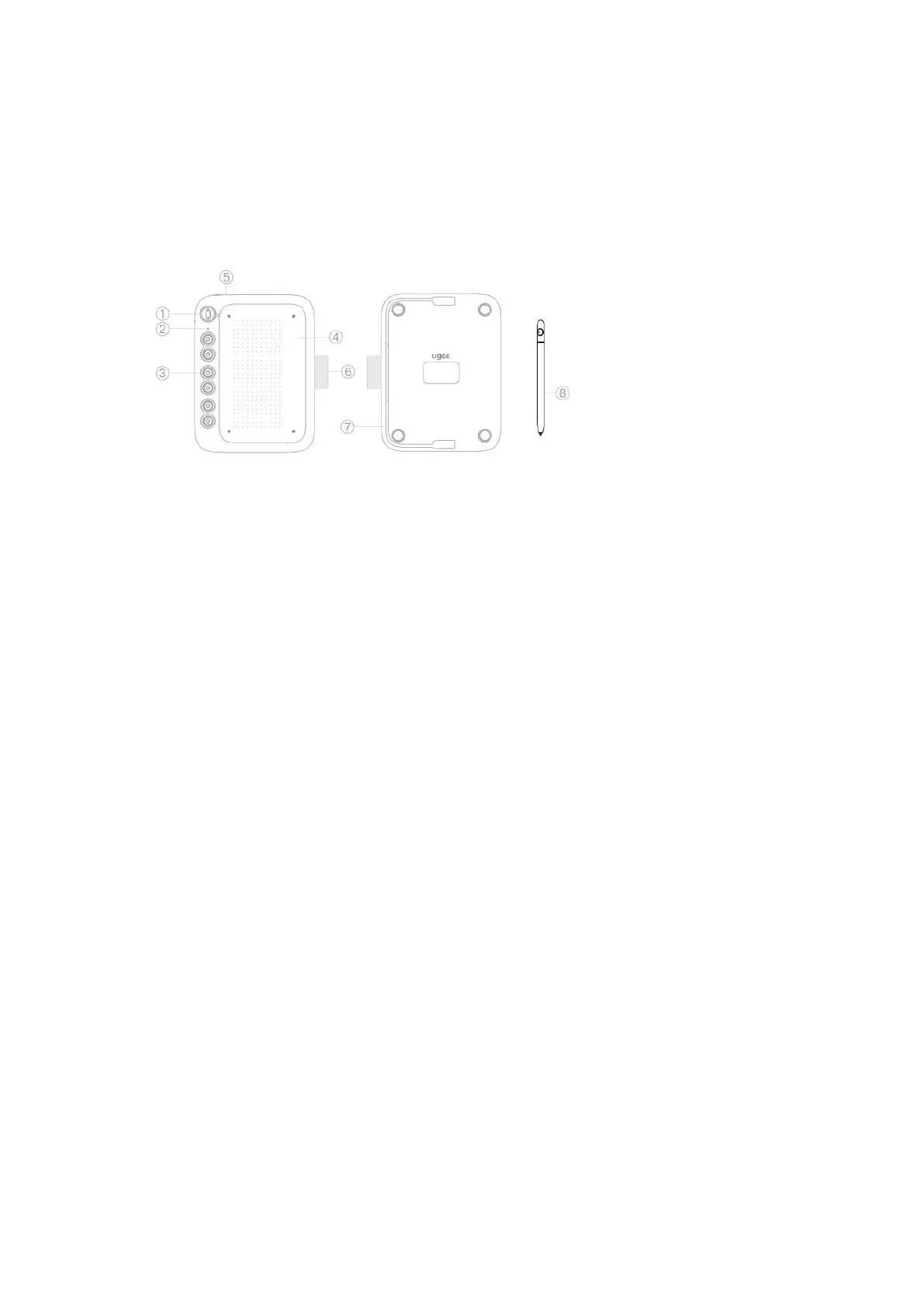
①Mode switch button , Supports switch between 4 modes
------- Suitable for full screen phones (20:9)
----- Suitable for non full screen phones (16 :9)
---- Suitable for tablets(16:10)
--- Other special devices with landscape displays (9:16)
Attention:
1)This button switches up and down, please do not rotate left or right!
2)The device types corresponding to the four gears are recommended, and you can
choose the corresponding gear based on the ratio of your phone/tablet screen.
② Handwirting indicator light
③ Shortcut Keys
④ Work Area
⑤ USB-C Port
⑥ Pen sleeve
⑦ USB-C to C Cable
⑧ Stylus
1.3 How to use it on phone/tablet
Step 1: Enter <Settings> application on the phone/tablet,and turn on the "OTG"
switch.
Attention:
Each terminal’s(phone/tablet)setting is different, and some terminal’s OTG
function is enabled by default, so you need to confirm it by yourself.
Step 2: Turn off the "screen automatic rotation function" of the phone/tablet.
Step 3: Connect to phone/tablet.



 To Next Page