-
7
-
PS4: Settings > Devices > Audio Devices > Input Device > Select "USB Headset
(UGREEN-15765A)" .
PS5: Settings > Sound > Microphone > Input Device > Select "USB Headset
(UGREEN-15765A)" .
Using the Bluetooth earphones built-in mic
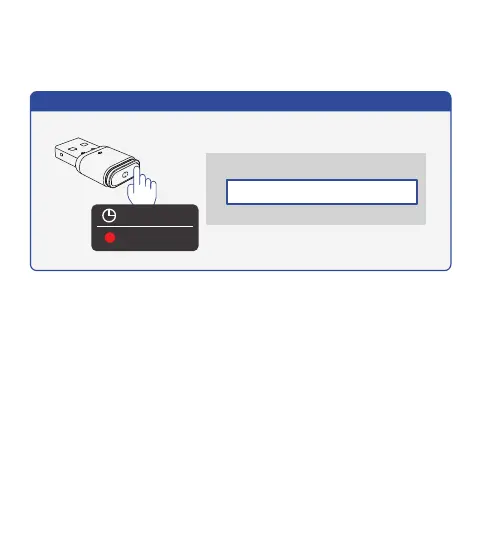
After connecting the Bluetooth earphones, please double-click the MFB button till the red
indicator lights on to select the microphone, then follow the steps below to enable the mic.
②
Select the audio input device to use
Input Device
USB Headset (UGREEN-15765)
TV or AV Amplifier
USB Headset (UGREEN-15765A)
Double Click
Lights On
Using the Bluetooth earphones built-in mic (PS4)


 To Next Page