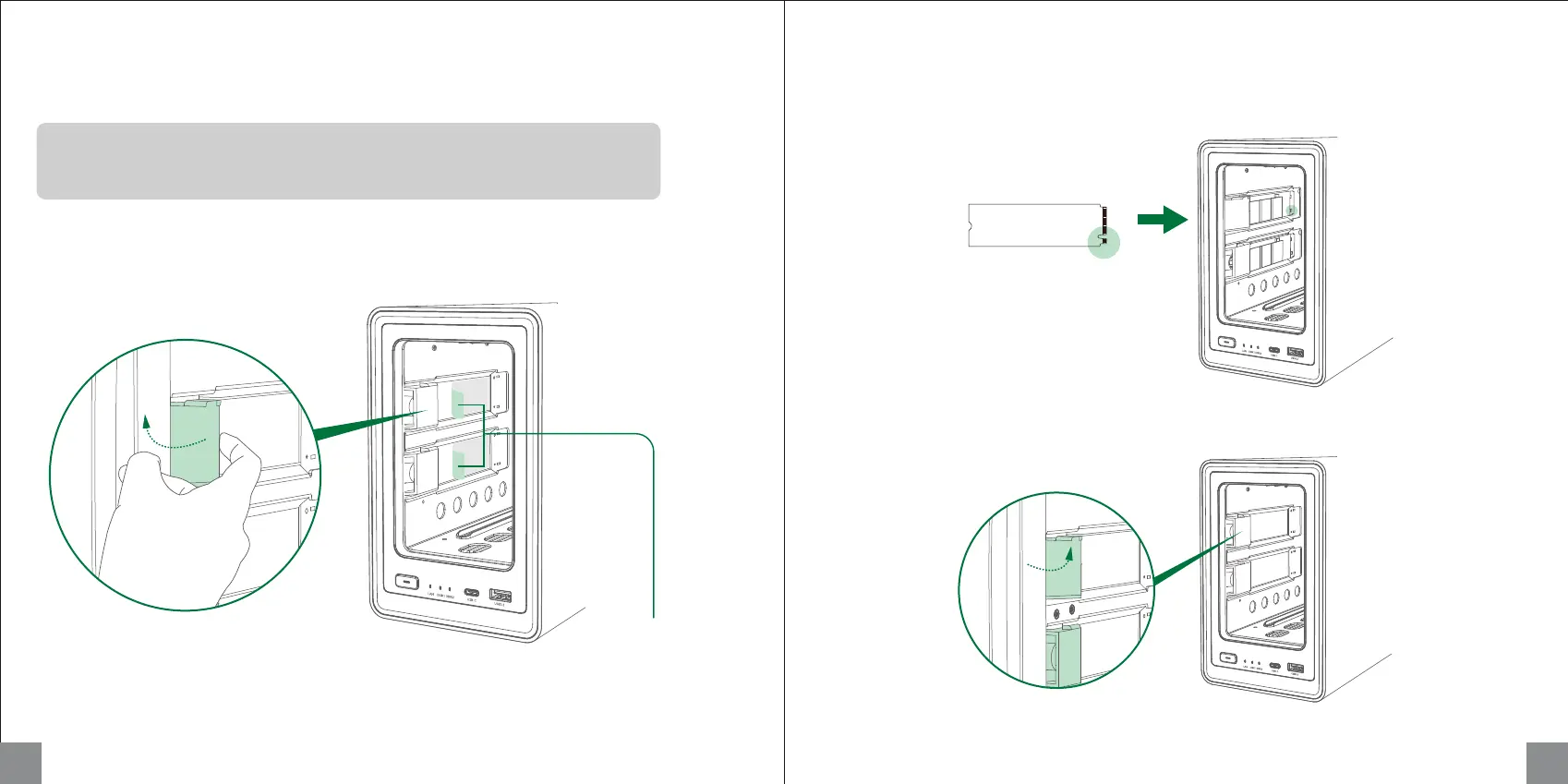
2. Insert M.2 SSD into the slot in the direction shown by the image below.
1. After powering off, pull the tray out to reveal the M.2 slot, located on the inner left side of the device.
Pull back to release the buckle.
3. Gently press lifted end and fasten the buckle after SSD is firmly inserted.
Installing M.2 SSDs (Optional)
Requires Sticking Silicone Pad for Thermal Conduction
9 10
Fasten buckle
Note: To ensure proper fit, the notch
should be aligned with the
corresponding ridge in the slot.
What does installing an M.2 SSD do?
M.2 SSDs can be used as a normal storage drive or as a read/write cache to improve
reading and writing performance of random data.
Release buckle
Please peel off the film
of the silicone pad



 To Next Page