13 14
Web Client—Binding & Settings
Step 1: Add Device
① Please ensure that the NAS device and computer are on the same local area network (LAN),
then visit the URL: find.ugnas.com.
② The system will automatically search the devices in your current LAN.
③ Select the device you want to add and click "Connect".
Step 2: Initialize the Device
① After adding the device, you will enter the initialization settings interface.
② In this interface, please complete the following operations:
· Name the device: Name your device to ensure it’s easy to identify and manage.
· Create a local administrator account: Register a local administrator account for the device to
manage the device.
· Register and bind UGREEN Cloud account (optional): If you want to use additional functions,
such as UGREENlink remote access or device notifications, you can register a UGREEN
Cloud account and bind your device. If not, you can choose to skip this step and use only the
device within the LAN.
③ After completing the above operations, please check the update system option (required)
and the device analysis improvement plan option (not required), then you can start using the
device.
Note: If the device does not undergo the initialization process, its status will be displayed as
"Not Initialized".
Step 3: Create Storage Pool
Enter the "UGREEN NAS" > "Storage Manager", then you can create Storage Pool and Volume.
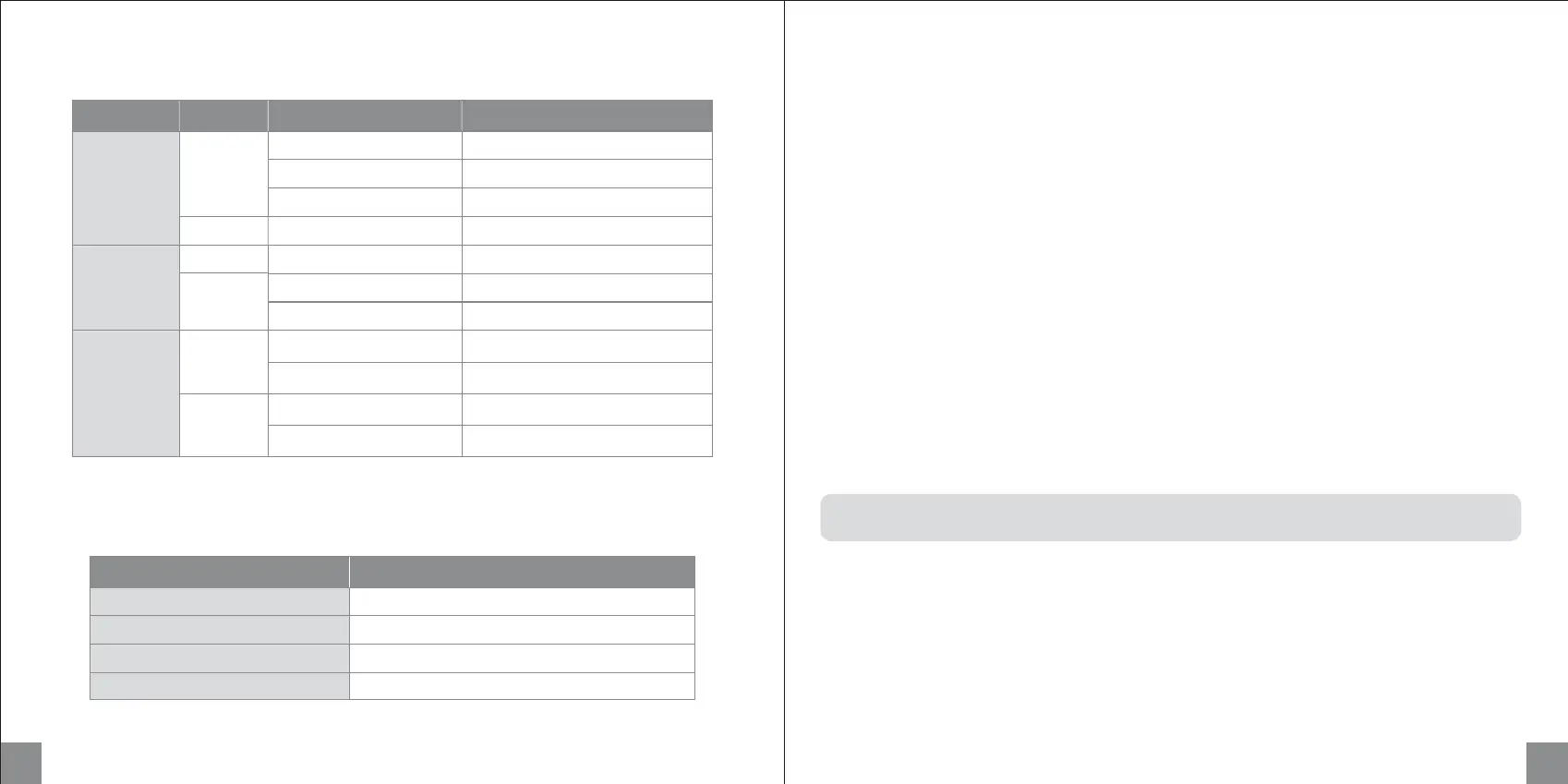
Indicator
Buzzer
Short beep once
Short beep once
Beep once at 3-second intervals
Beep once at 2-second intervals
Beeper
Power on
System reset
Drive error
System error
Status
LED Color Status
Static
Pulsing
Slow flashing (once per 1s)
Slow flashing (once per 1s)
Flashing
Pulsing
LAN
Network
Indicator
Orange
Static
White
Flashing
Internet not connected
Data transfer (No Internet)
Power on
Flashing (once per 0.5s) Power off
System hibernation
Device error
Drive error
Drive active
Drive hibernation
Description
Power
Indicator
DISK 1-2
Hard Drive
Indicator
Orange
Static
Flashing
Internet connected
Data transfer (Internet connected)
Orange
White
White


 To Next Page