Page 48 Ulthera, Inc
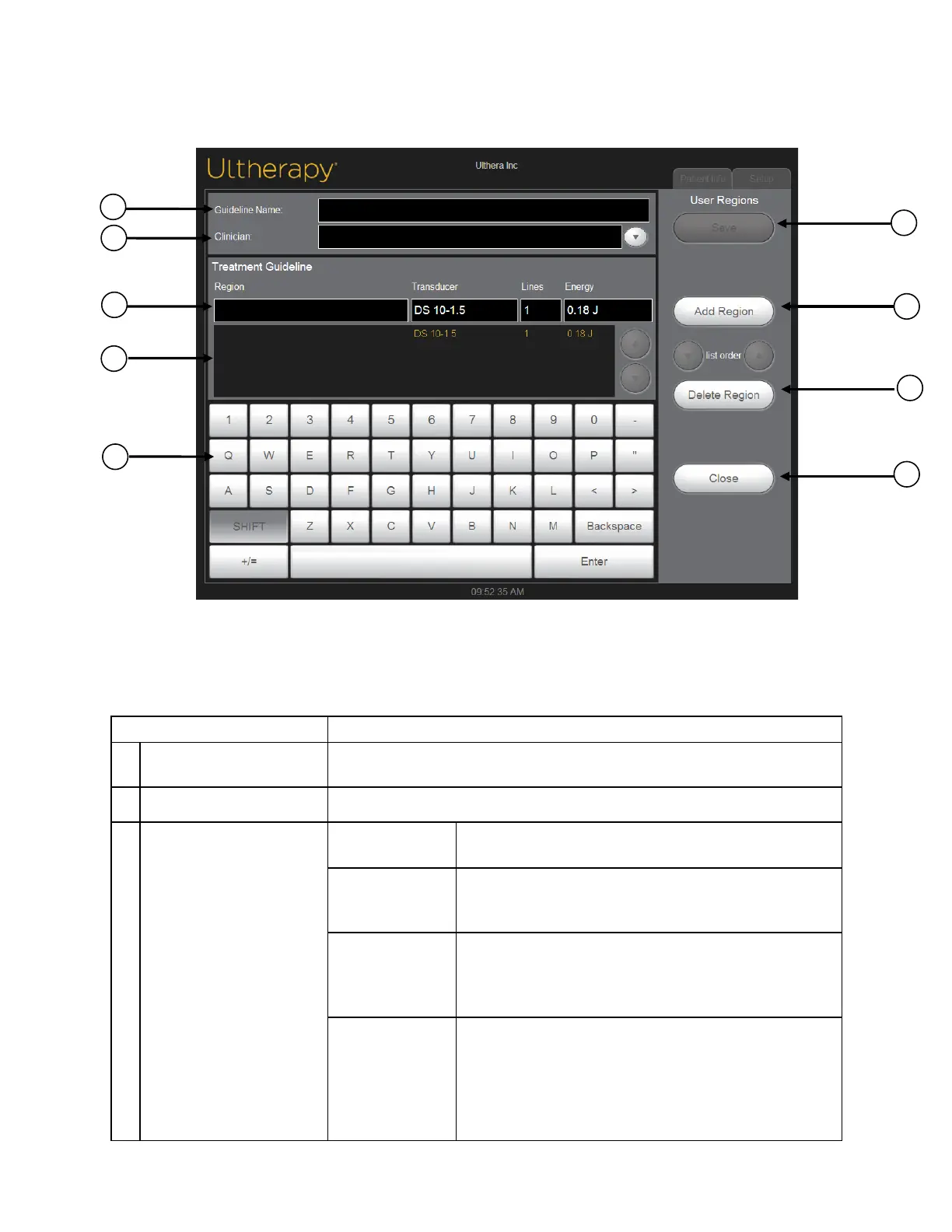
Figure 7.5 and Table 7.4 display the process and functionality of creating a
User Region:
Figure 7.5 User Regions, second screen
Table 7.4 User Regions Treatment Guideline Dialogue
1
User Region Guideline
Name Field
The name of the treatment guideline is entered in this field.
2 Clinician Field The name of the clinician treating is entered here.
3 Edit Region Fields
Region Name Field for entering or editing the name of the region.
Transducer
Field for selecting the transducer for the region that is
highlighted.
Number of Lines
Field for entering or editing the number of lines that is
going to be recommended for the region that is
highlighted.
Default Energy
Field for selecting the default energy that will be used
for the region that is highlighted.
When a transducer’s energy lev el is changed in an
existing User Region Guideline, all energy lev els will be
updated in that guideline for that transducer type.



 To Next Page