Page 50 Ulthera, Inc
7.3.2. Set up a treatment record:
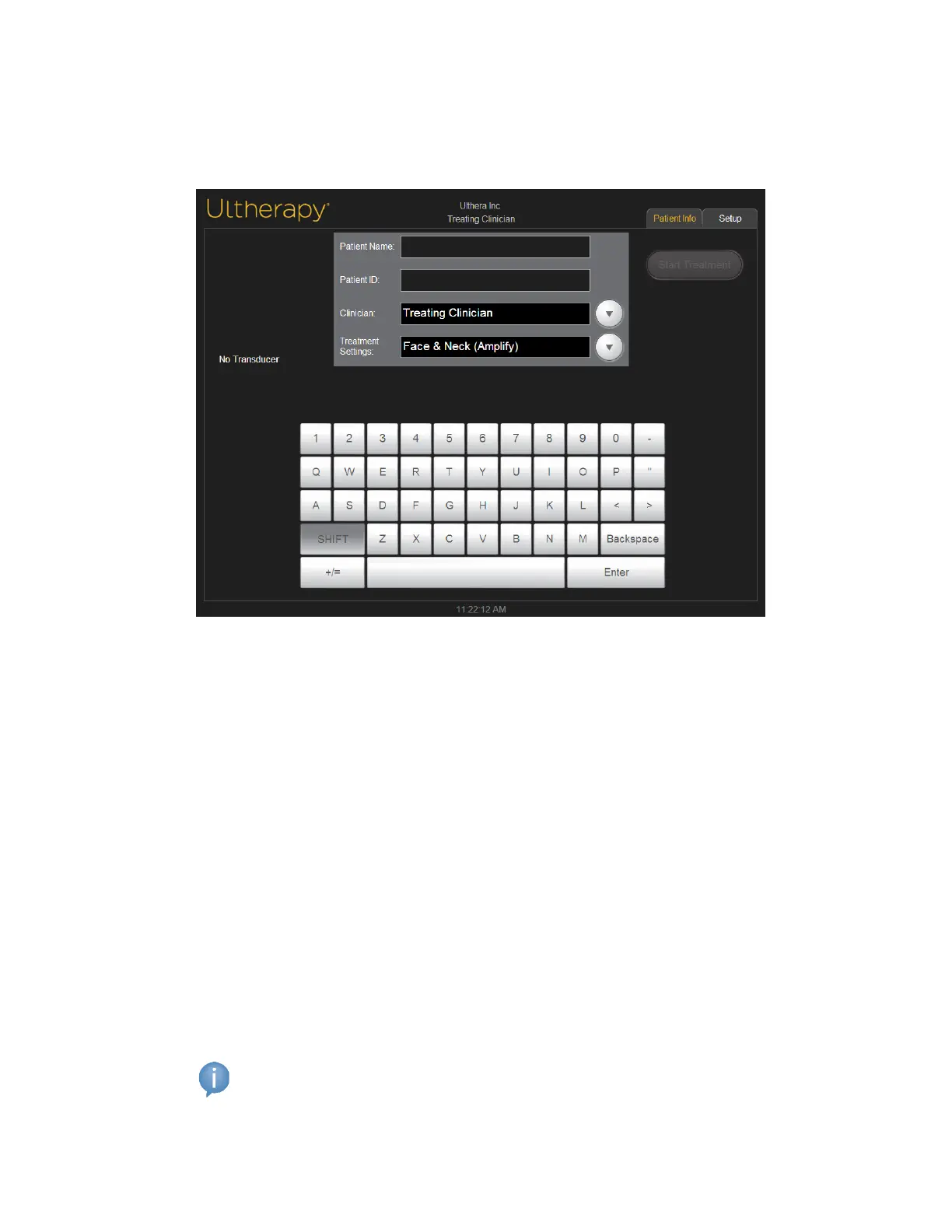
1. The Patient Info screen shown in Figure 7.6 is the first screen displayed
when you turn on the system.
Figure 7.6 Patient Info Screen
2. Use the touchpad keyboard to enter the patient name, patient ID and
the name of the clinician who will perform the treatment.
3. Clinician names can be selected from the dropdown list by tapping the
down arrow to the right of the field. Unwanted clinician names may be
removed from this list by: 1) tapping the name; 2) tapping the +/= key; 3)
tapping the Del key; and then 4) tapping the Enter key.
4. Select the desired treatment guideline from the list located above the
touchpad keyboard.
5. Treatment guidelines display recommended treatment parameters for the
treatment regions. These parameters are based on clinical trial results that
determined safe settings for each treatment region.
6. Tap the Start Treatment button located in the upper right corner of the
screen.
Note: W hen the Start Treatment button has been pressed, the patient
name, patient ID, and treatment guideline may not be changed until
the current treatment is ended.



 To Next Page