GET STARTED
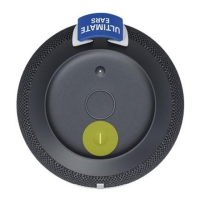
1. POWER ON THE SPEAKER
SHORT PRESS the Power button to turn on your BOOM 3
2. PAIR YOUR PHONE TO THE SPEAKER
PRESS AND HOLD the Bluetooth® button to put it in pairing mode. Go to Bluetooth® setting
on your phone and select BOOM 3 to connect.
USE THE MAGIC BUTTON
USE THE MAGIC BUTTON TO CONTROL YOUR MUSIC
SHORT PRESS to play and pause
DOUBLE PRESS to skip a track
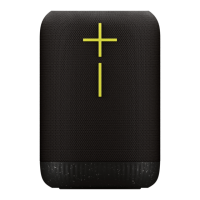
ADJUST VOLUME
PRESS the “+” / “–” button to increase / decrease volume.



 To Next Page