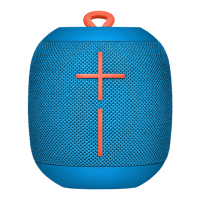
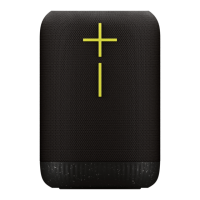
Need help?
Do you have a question about the Ultimate Ears WONDERBOOM and is the answer not in the manual?
Plug the included USB cable into the micro-USB port located inside the weather door to charge the WONDERBOOM.
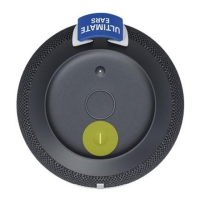
Connect two WONDERBOOMs for bigger sound by long-pressing the ULTIMATE EARS button on both speakers simultaneously.
Simultaneously connect up to two Bluetooth mobile devices to WONDERBOOM, allowing turns playing music from each.
Press and hold the Bluetooth button until a tone is heard, then select WONDERBOOM from your mobile device's Bluetooth settings.
Control music directly from the WONDERBOOM: press the ULTIMATE EARS button to pause/resume, double press to skip tracks.
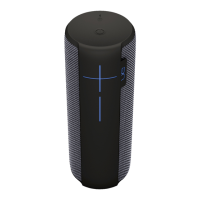
Adjust volume via your mobile device or directly on the WONDERBOOM using the '+' or '-' buttons.
Press the power button on top to turn the WONDERBOOM on; it automatically reconnects to the last paired device.
The WONDERBOOM automatically turns itself off after 15 minutes of inactivity to conserve battery life.
A wet or contaminated micro-USB connector can cause excessive heat, melting, fire, or injury; always use a clean, dry connector.
 General
| Driver diameter | 40 mm |
|---|---|
| Number of drivers | 2 |
| Number of speakers | - |
| Product type | Stereo portable speaker |
| On/off switch | Yes |
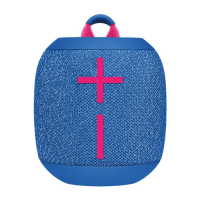
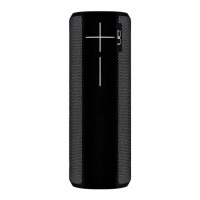
| Product color | Black |
| Product design | Cylinder |
| Volume control | Buttons |
| Protection features | Dust resistant, Splash proof, Waterproof |
| International Protection (IP) code | IPX7 |
| Cables included | Micro-USB |
| Quantity per pack | 1 pc(s) |
| Battery type | Built-in |
| Battery capacity | 7.98 Wh |
| Power source type | Battery |
| Battery life (max) | 10 h |
| Battery recharge time | 2.8 h |
| Number of batteries supported | 1 |
| Wi-Fi | No |
| Bluetooth range | 33 m |
| Bluetooth profiles | A2DP |
| USB connector type | Micro-USB B |
| Connectivity technology | Wireless |
| Recommended usage | Universal |
| Mobile operating systems supported | iOS, Android |
| Sensitivity | 86 dB |
| Frequency range | 80 - 20000 Hz |
| RMS rated power | - W |
| Package type | Box |
| Package depth | 133.2 mm |
| Package width | 106.8 mm |
| Package height | 118.5 mm |
| Package weight | 600 g |
| Quantity per pallet | 896 pc(s) |
| Master (outer) case width | 223 mm |
| Master (outer) case height | 253 mm |
| Master (outer) case length | 276 mm |
| Master (outer) case weight | 5260 g |
| Harmonized System (HS) code | 85182200 |
| Master (outer) case GTIN (EAN/UPC) | 50992060705214 |
| Quantity per intermodal container (20ft) | 14976 pc(s) |
| Quantity per intermodal container (40ft) | 31680 pc(s) |
 Weight and Dimensions
| Width | 93.5 mm |
|---|---|
| Height | 102 mm |
| Weight | 425 g |


 To Next Page