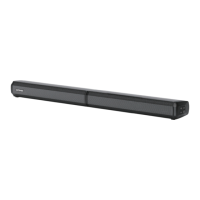
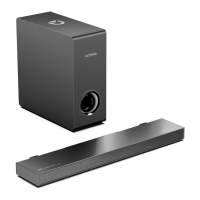
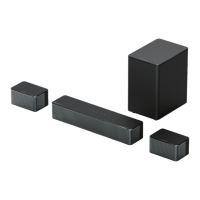
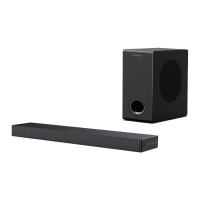
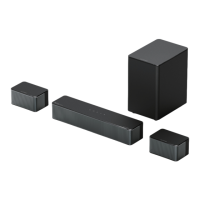
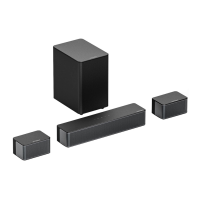
The ULTIMEA Apollo S50 (Model No.: U3600) is a 4.1 channel detachable soundbar system designed to enhance audio for TVs, PCs, and mobile devices. It offers versatile placement options and multiple connectivity methods, including HDMI ARC, optical, AUX, USB, and Bluetooth. The system comprises a main soundbar unit and a separate subwoofer, providing a comprehensive audio experience.
Function Description:
The Apollo S50 functions as an external audio system, significantly improving sound quality compared to built-in TV speakers. It can be used in two primary configurations:
- Detached and Stand on Base: The soundbar can be split into two vertical towers and placed on included bases, flanking a TV or display. This configuration provides a wider soundstage.
- Horizontal Placement: The soundbar can be kept as a single, horizontal unit, typically placed below a TV. This is a common setup for soundbars.
The system includes a dedicated subwoofer for enhanced bass response, contributing to a more immersive audio experience. It supports various audio input sources, allowing for broad compatibility with different devices.
Important Technical Specifications:
- Model Number: U3600
- Product Name: Apollo S50 4.1 Channel Detachable Soundbar
- Power Supply: AC 100-240V, ~50/60Hz
- Soundbar Drivers: 2.25" x 4
- Subwoofer Driver: 5.25"
- Frequency Response: 45Hz - 18kHz
- Standby Power: <0.5W
- Operating Temperature: 0°C - 45°C / 32°F - 113°F
- Bluetooth Version: 5.3
- Soundbar Dimensions (W x D x H): 811mm x 98mm x 70mm
- Subwoofer Dimensions (W x D x H): 270mm x 115mm x 270mm
- Net Weight: 4.6kg / 10.1lbs
- Gross Weight (Packaging): 6.64kg / 14.63lbs
Usage Features:
The Apollo S50 offers a range of features for user convenience and audio customization:
- Control Panel: Located on the soundbar, it includes buttons for Volume Up (VOL+), Volume Down (VOL-), Power, and Source selection. The Source button allows switching between ARC, Optical, Bluetooth, AUX, and USB inputs. Holding the Source button for 3 seconds disconnects the current Bluetooth device for manual pairing with a new one.
- Remote Control: A comprehensive remote control provides full command over the soundbar's functions:
- Power Button: Turns the unit on/off.
- Input Selection: Dedicated buttons for ARC, BT (Bluetooth), OPT (Optical), AUX, and USB.
- LED Control: Toggles the LED display on/off.
- Volume Control: Volume Up (+) and Volume Down (-).
- Playback Controls: Previous (<), Next (>), and Play/Pause (▷II) for BT and USB modes. In USB mode, holding Play/Pause for 3 seconds switches between single loop and list loop playback.
- Sound Modes: Pre-set modes for MOVIE, GAME, and MUSIC, each indicated by a specific display code (E91, E92, E93 respectively).
- BASSMAX: Adjusts bass levels, with display indicators like "bS-3" to "bS1".
- Mute: Mutes or unmutes the audio.
- Detachable Design: The soundbar can be easily assembled into a single horizontal unit or detached into two vertical towers, providing flexibility in placement to suit different room layouts and aesthetic preferences. The assembly involves aligning and twisting the joints, and connecting the two parts with a Stereo RCA to RCA Audio Cable.
- Connectivity Options:
- HDMI ARC: Connects to a TV's eARC/ARC port for high-quality audio and allows the TV remote to control the soundbar (power on/off, volume) if CEC function is enabled on the TV. If no sound, the TV audio output may need to be set to PCM.
- Optical: Connects to a TV's Digital Audio Out (Optical) port. Proper insertion of the optical plug is crucial. If no sound, the TV audio output may need to be set to PCM.
- AUX: Connects to a TV's RCA Audio Out port using a 3.5mm to RCA audio cable. Color-matching the cable ends to the TV ports is recommended.
- USB: For playing audio from USB storage devices.
- Bluetooth 5.3: Allows wireless connection to mobile phones, PCs, or TVs. The soundbar enters pairing mode by pressing the BT button on the soundbar or remote. The device appears as "Apollo S50" in Bluetooth settings. Holding the BT button for 3 seconds disconnects the current device for new pairing.
- Wall Mount Installation: The soundbar can be mounted on a wall using the provided wall mounting kit and brackets. The manual provides clear instructions for drilling holes (6mm/0.23" diameter, 30mm/1.18" depth) and securing the brackets.
- Subwoofer Connection: The subwoofer connects wirelessly to the soundbar, simplifying setup and reducing cable clutter.
Maintenance Features:
The manual provides general safety instructions that contribute to the longevity and safe operation of the device:
- Cleaning: Use a dry, soft lint-free cloth. Avoid liquid cleaners, wax, or oil.
- Environmental Conditions:
- Do not expose to dripping or splashing water.
- Do not place objects filled with liquids (e.g., vases) on the apparatus.
- Do not place near heat sources (radiators, heat registers, stoves, or other apparatus including amplifiers that produce heat).
- Avoid extreme temperatures, direct sunlight, and high humidity.
- Do not operate in temperatures below 0°C/32°F or above 45°C/113°F.
- Do not use in environments of extreme heat or cold.
- Placement: Ensure proper ventilation. Do not block ventilation openings.
- Power Adapter: Use only the provided adapter.
- Disassembly: Do not attempt to disassemble the device.
- Disposal: The product should not be disposed of with other household waste. It must be handed over to an applicable collection point for the recycling of electrical and electronic equipment. Batteries should also be disposed of properly.
The ULTIMEA Apollo S50 is designed for ease of use, offering multiple ways to connect and control audio, while its detachable design provides flexibility for various home entertainment setups.

 Need help?
 General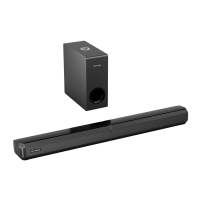

 To Next Page