Need help?
Do you have a question about the ULTIMEA Nova S50 and is the answer not in the manual?
Provides contact details for support, including phone numbers and email.
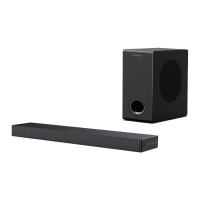
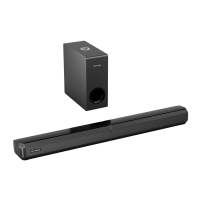
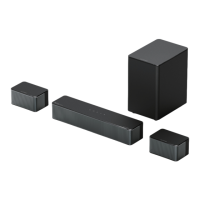
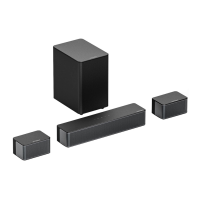
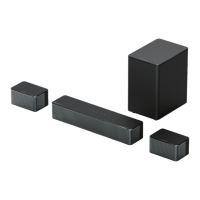
Lists power adaptor, audio cables, and HDMI cables included with the soundbar.
Includes remote control, wall mount kit, and wall bracket for installation.
Refers to the user manual included in the accessory list.
Describes the functions of the power button, input mode, and volume controls on the soundbar.
Details the power button and various input mode selection buttons on the remote.
Explains controls for playback, volume adjustment, and track skipping.
Covers buttons for selecting sound modes (Movie, Game, Music) and bass adjustment.
Provides instructions and a diagram for connecting the subwoofer to the soundbar.
Guides connecting the soundbar to TV via HDMI ARC or eARC for optimal audio.
Explains differences between HDMI types and the importance of TV CEC settings.
Instructions for connecting via the optical audio port, including troubleshooting.
Instructions for connecting via the AUX audio port, including usage notes.
Steps to pair mobile devices or computers with the soundbar via Bluetooth.
Recommends placing the soundbar at or near ear level for optimal audio experience.
Step-by-step guide with diagrams for securely mounting the soundbar on a wall.
Lists key technical details like power supply, frequency response, and standby power.
Provides detailed measurements and weight information for the soundbar and subwoofer.
Covers essential precautions like avoiding drops, water, extreme temperatures, and improper use.
Guides on responsible disposal of the product as electronic waste to protect the environment.
Details compliance with FCC rules, including interference and radiation exposure limits.
Outlines compliance with Innovation, Science and Economic Development Canada regulations.
Formal declaration by the manufacturer regarding product conformity and applied standards.
Details trademarks and licensing information for Dolby Atmos, Bluetooth, and HDMI.
 General
| Connectivity | Bluetooth, AUX, USB |
|---|---|
| Speaker Type | Soundbar |
| Channels | 2.0 |
| Total Harmonic Distortion | <1% |
| Bluetooth Version | 5.0 |
| Bluetooth Profiles | A2DP, AVRCP |
| Color | Black |
| Input | AUX |

 To Next Page