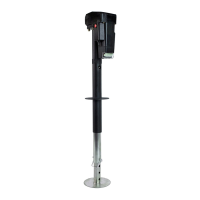
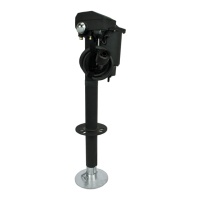
PHOENIX4000ELECTRICTONGUEJACK
P/N38‐944040
USPATENT10,252,591B1
PAGE1
rev05032019
APPLICATION
ThePhoenix4000Electric TongueJackisa 12‐
volt motor‐driven ball‐screw jack for use on
traveltrailers,boattrailers,andcargotrailers.
SPECIFICATIONS
VerticalLoad– 4000lbs.continuousover
fullstrokewith6000lbs.instanta‐
neoustonguebreakawaycapacity.
Travel–18″
PowerRequirement‐12VDC.
OuterTubeOD‐2
1
/
4
″
InnerTubeOD‐2″
RetractedHeight‐30″
RemovableFootPad‐5
1
/
2
″dia.(Adjustable)
ApproximateShippingWeight–27lbs.
INSTALLATION
1. Blockthewheelsandsupportthetrailer″A″
framesecurely.
2. Removetheexistingjack.
NOTE:Savetheoriginalnuts,bolts,andwashers
thatcamewiththejackyouarereplacing forin‐
stallingthePhoenix4000ElectricTongueJack.
1. InstalltheElectricTongueJackusingoriginal
nutsandbolts.Depe
ndingonuser’spersonal
preference,alignthemotorheadsothatthe
motorhousingisfacingthefrontofthe“A”
frameorsothatthemotorhousingisfacingthe
driversideofthetrailer.
2. TheElectricTongueJackwasdesignedtore‐
placeanexistingmanualjack.Thediameterof
theoutertub
eofyourchosenjack,willneedto
matchtheexistingholesize,oryouwillneedto
modifytheholediametertofit.
3. InstallFuseHolder.BycuttingtheREDwire
loop,theneithercrimpingorsolderingthecon‐
nections,attachoneendtothepositivepostof
thetrailerbattery.Th
eotherendofthefuse
holder’sREDwirewillbeconnected
totheRED
wirefromthejack.ThisREDwireprovides12V
powertojack.
4. Connect the RED positive lead to the positive
terminal of the battery. Connect the BLACK
groundwiretonegativeterminal
ofthebattery.
WARNINGWhenusinganex‐
tensionwire,DONOTusesmaller
than#10gaugewire.
CAUTIONWedonotrecom‐
mendusingtheflip‐uptypefootpad.
Doingsorequiresthetonguejackto
bealteredwhichvoidsthewarrantyandcan
causethefailureofthejack.
INSTALLATION/OPERATION
INSTALLATION/OPERATION

 Need help?

 To Next Page
 General