Checking The Coating Height
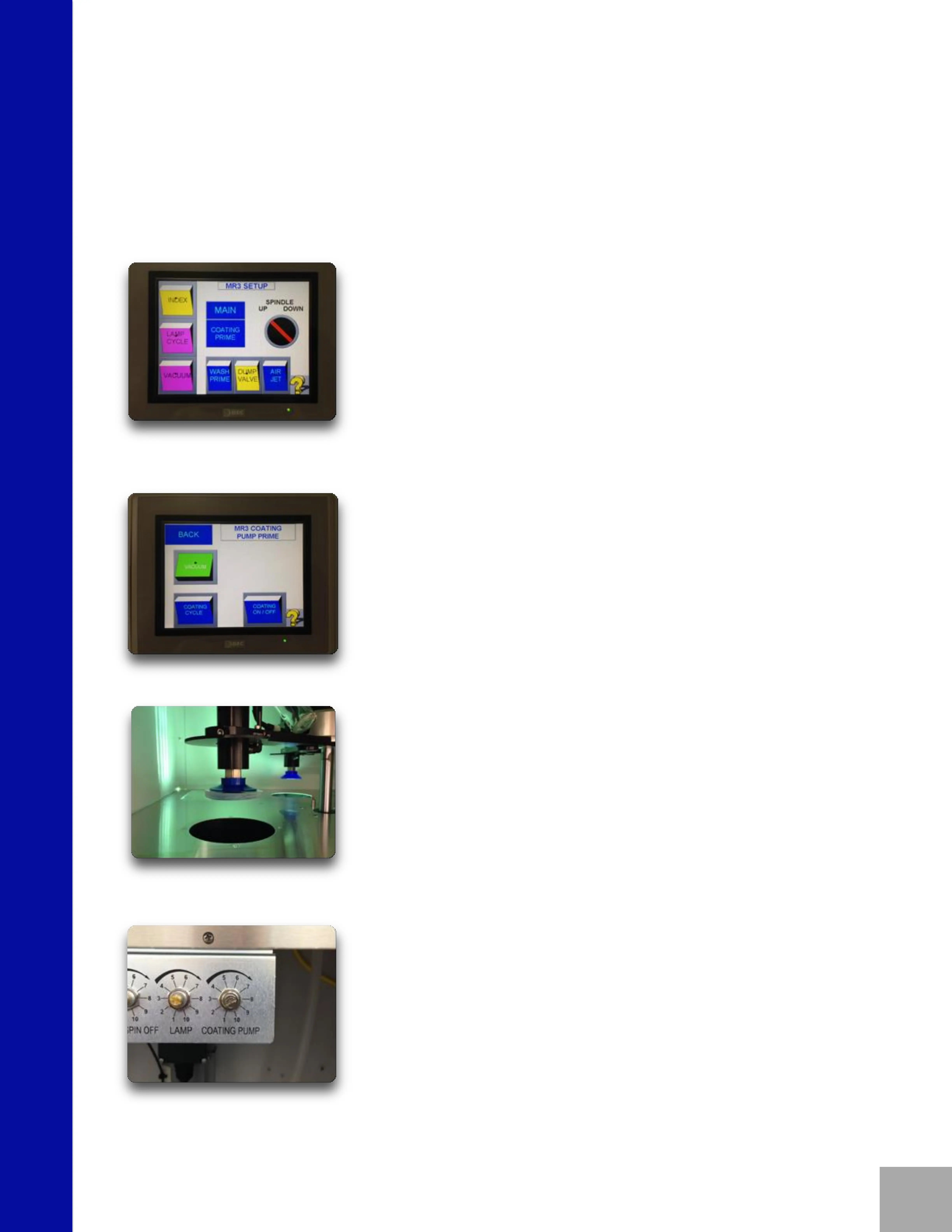
Press MACHINE SET-UP.
Press COATING PRIME.
Press VACUUM.
Chuck a lens on the suction cup located
over the coating bowl.
Press COATING ON/OFF.
Adjust the coating height to the top of the
coating bowl using the speed
potentiometer labeled “Coating Pump”.
Clockwise to increase.
Counterclockwise to decrease.
5



 To Next Page