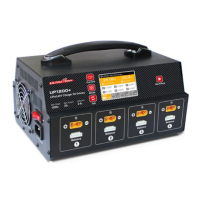
EasyManua.ls Logo

Ultra Power UP1200+ - User Manual

Ultra Power UP1200+
2 pages
Print Icon
To Next Page IconTo Next Page
Loading...
UP1200+ is specically designed for 8 channels LiPo/LiHV Charger of UAV Drones, and
built-in charging nanny funcation, which can turn charging the battery in turn, and
automatically turn to the next batch packs(2pcs battery packs)once fully charged in last
batch. It also can support charge & fast charge & storage mode, and UP1200+ has
short-circuit protection, reverse polarity protection, and overheat protection to ensure
maximum safety.
1.Power on: Connect to the power source and turn on the power switch. All the working indicators
will illuminate for 2 seconds, and the LCD display screen will show the start-up page for 2
seconds, and then it will enter into the standby page.
2. Battery connection: Please connect your batteries according to below picture.
3. Setting the charging parameter.
1) Connect to the battery 2) Connect to the balance socket.
8 Channels LiPo/LiHV Charger For UAV Drones
Product Description
Operation Procedure
Features
1. Support charging 8 pcs of 2-6S LiPo/LiHV batteries and built-in charging nanny, 4
channels per side.
2. Each side works independently, the charger can automatically turn to the next battery
pack once fully charged.
3. Support to charge/discharge with 8 battery packs simultaneously under storage mode.
4. With independent radio battery connection port, support to charge 2S/3S radio battery.
(Only one radio battery can be charged one time).
5. Memorizing last charging current.
6. Multiple protection function: over-voltage, over-current, reverse polarity, and over-
temperature protection.
- 1 - - 2 -
Handle
Operating Button
LCD Display Screen
Start/Stop Button
XT90 Battery Port
Working Indicator
Balance Socket
Cooling Fan
Power Switch
AC Input 220V
Start/Stop
Current
Mode
Tab
INPUT200-240V ~50/60Hz
OUTPUTLiPo/LiHV 2-6S
Rated Power1200W
Charge CurrentMax.25.0A
Balance Current1.5A/cell
INSTRUCTION MANUAL
Specification
Input Voltage : AC 220V
Charge Output Power : 1200W (600WX2)
Discharge Power : 280W (35Wx8)
Charge Current : 5A/10A/15A/20A/25A
Balance Current : 1.5A/cell
Battery Type : LiPo/LiHV
Battery Cell Count : 2-6S( also can charge 2S/3S radio battery)
Working Mode : Charge/Fast Charge/Storage
Dimension : 270X190X160 mm
Net Weight : 4.61KG
Start/Stop
Current
Mode
Tab
INPUT200-240V ~50/60Hz
OUTPUTLiPo/LiHV 2-6S
Rated Power1200W
Charge CurrentMax.25.0A
Balance Current1.5A/cell
24.00V
25.0A
LiPo-25A-Charge
Standby Free Free Free
83% 0% 0% 0%
15000mAh
0:38:58
1
2 3 4
1
1
4.00V
4.00V
4
3
4.00V
4.00V
6
2
4.00V
4.00V
5
UP1200+
3) Press + simultaneously to choose the battery type, the default battery type is LiPo.
1) Press button to choose the appropriate current, 5A,10A,15A,20A,25A(Normally, we
suggest to charge with 1C charge current).
2) Press button to choose the mode you need, can choose charge mode, fast charge
mode, storage charge mode, the default mode is charge mode.
4) After all the setting done, long press “Start/Stop” for 2 seconds until heard “beep” sound, then the
charger is under charging process , the indicator shows in red, when fully charged, the indicator
shows green color.
15000mAh
0:38:58
24.00V15.0A
LiPo 6S-15A-Charging ....
80% 0% 0% 0%
CHG IDLE IDLE IDLE
4.00V 4.00V 4.00V
4.00V 4.00V 4.00V
2 3 4
Channel
Channel

Question and Answer IconNeed help?

Do you have a question about the Ultra Power UP1200+ and is the answer not in the manual?

Overview

The Ultra Power UP1200+ is an 8-channel LiPo/LiHV charger specifically designed for UAV drones, featuring a built-in charging nanny function that automates the charging process. This function allows the charger to charge batteries in turn, automatically switching to the next batch of two battery packs once the previous batch is fully charged. The UP1200+ supports various charging modes including charge, fast charge, and storage mode, and incorporates multiple protection functions such as short-circuit protection, reverse polarity protection, and overheat protection to ensure maximum safety during operation.

Function Description:

The UP1200+ is capable of charging eight 2-6S LiPo/LiHV batteries simultaneously, with four channels operating independently on each side. The charger automatically proceeds to the next battery pack once the current one is fully charged. It also supports simultaneous charging/discharging of eight battery packs in storage mode. For added versatility, the device includes an independent radio battery connection port, allowing it to charge 2S/3S radio batteries (only one at a time). The charger memorizes the last used charging current for convenience.

Important Technical Specifications:

  • Input Voltage: AC 220V
  • Charge Output Power: 1200W (600W x 2)
  • Discharge Power: 280W (35W x 8)
  • Charge Current: Selectable from 5A, 10A, 15A, 20A, 25A (1C charge current is generally recommended).
  • Balance Current: 1.5A/cell
  • Battery Type: LiPo/LiHV
  • Battery Cell Count: 2-6S (also supports 2S/3S radio batteries)
  • Working Mode: Charge/Fast Charge/Storage
  • Dimensions: 270mm x 190mm x 160mm
  • Net Weight: 4.61KG

Usage Features:

  1. Power On: Connect the charger to an AC 220V power source and turn on the power switch. All working indicators will illuminate for 2 seconds, and the LCD display will show a start-up page for 2 seconds before entering standby mode.
  2. Battery Connection: Connect the main battery connector (XT90) to the charger, followed by the balance socket.
  3. Parameter Setting:
    • Current Selection: Press the "Current" button to choose the desired charging current (5A, 10A, 15A, 20A, 25A). Charging with 1C current is generally recommended.
    • Mode Selection: Press the "Mode" button to select the desired charging mode: Charge, Fast Charge, or Storage. The default mode is Charge.
    • Battery Type Selection: Press the "Mode" and "Channel" buttons simultaneously to choose the battery type. The default battery type is LiPo.
  4. Start/Stop Charging: After all settings are configured, long-press the "Start/Stop" button for 2 seconds until a "beep" sound is heard. The charger will begin the charging process, indicated by a red light. Once fully charged, the indicator will turn green.
  5. Display Information: The LCD display shows charging status, individual cell voltages, total voltage, current, capacity, and elapsed time. Pressing the "Current" button in standby mode allows viewing battery data for each channel. In working mode, pressing the "Current" button displays one battery data at a time.
  6. Switching LiPo/LiHV Battery: To switch between LiPo and LiHV battery types, press the "Mode" and "Channel" buttons simultaneously for 3 seconds while in standby mode. The device will go into LiHV battery mode (LiPo cut-off voltage: 4.2V, LiHV cut-off voltage: 4.35V).
  7. Charging Nanny Working Process: The charging nanny function manages the charging of battery packs in turn. Each side works independently. Once one channel (e.g., channel 1) is fully charged, the charger automatically proceeds to the next connected battery pack (e.g., channel 2). This continues until all connected packs are fully charged. For example, if channel 1 is fully charged, it moves to channel 2, then to channel 3, and so on.
  8. Storage Mode: In storage mode, the charger can simultaneously charge/discharge up to eight battery packs. This mode is useful for long-term battery storage, as it brings the battery voltage to 3.85V per cell. If the battery voltage is higher than 3.85V per cell, the charger will discharge the battery; if lower, it will charge the battery until 3.85V per cell. To enter storage mode, press the "Mode" button until "Storage Mode" is displayed, then long-press "Start/Stop" for 2 seconds.

Maintenance Features:

  1. Safety Warnings: Always follow safety instructions. Ensure the charger and battery are not damaged or wet.
  2. Unattended Operation: Never leave the charger unattended when it is connected to its power supply. If any malfunction is found, terminate the process immediately and refer to the operation manual.
  3. Environmental Care: Keep the charger away from dust, moisture, rain, heat, direct sunshine, and vibration.
  4. Power Input: The input voltage is AC 220V. Ensure the correct power source is used to prevent internal damage.
  5. Battery Type: The default battery type is standard LiPo battery. If using a different battery type, configure the charger settings accordingly.
  6. Warranty and Service: The product comes with a one-year warranty from the date of purchase, covering manufacturing and assembly defects. The warranty applies only to material or operational defects that are present at the time of purchase. During the warranty period, repairs or free replacement of service charges for products deemed defective due to those causes will be provided. Proof of purchase (invoice or receipt) is required for warranty claims. The warranty does not cover any damage or subsequent damage arising as a result of misuse, modification, or as a result of failure to observe the procedures outlined in this manual.

Ultra Power UP1200+ Specifications

General IconGeneral
BrandUltra Power
ModelUP1200+
CategoryBattery Charger
LanguageEnglish

Related product manuals