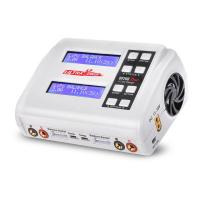
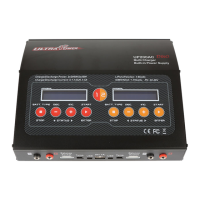
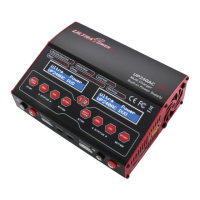
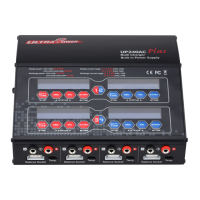
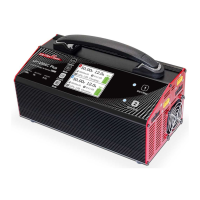
Product Description
Specification
FEATURES
OPERATION PROCEDURE
Thank you for choosing Ultrapower UP600AC Duo dual channel
LiPo/LiHv charger.
This charger is specifically designed for big battery packs used in
professional drones. It is very simple and convenient to operate. It is
capable of balance charging 2 packs of 2-6 cell batteries simultaneously. It
support balance charge, storage charge. In addition, UP 600AC Duo has
short-circuit, reverse polarity, and overheat protection to ensure maximum
safety.
UP600AC DUO
LiPo/LiHV Charger forbig drones
Weight
Charge Modes
Balance Current
Battery Type
Battery Cell Count
Charge Current
Charge Output Power
Input Voltage
Current Indicator
Start/Stop Button 1
Start/Stop Button 2
Picture 1
Picture 3
Picture 2
Picture 4
Battery SoC(Status of Charge) Indicator
LiHV
Power Switch
AC Input
110V or 220V
Cooling Fan
Cooling Fan
XT 90 Battery Port
Balance Socket
Handle
Working Mode Indicator
Current Setting Button
Working Mode Setting Button
Size
AC 110V or 220V
1200W(2x600W)
5A/10A/15A/20A/25A
LiPo/LiHV
2-6S
Max. 1.5A
Balance Charge/Storage
268×140×127mm
3.1KG
1. Support charging 2 packs of 2-6S LiPo/LiHV batteries simultaneously
2. Support high voltage LiHV battery
3. Memorizing last charging current
4. Support balance charge and storage mode
5. Maximum safety, short circuit protection, reverse polarity protection and
over heat protection
6. Adjustable charging current
1. Connect to the power source and turn on the power switch. All indicators will
illuminate as Picture 1. After 2 seconds, all indicators will turn off except 4
indicators with symbol “5A” and “Charge”, If self-checking results OK. The
panel looks as below Picture 2.
2. Next step is to connect the batteries to be charged. Please connect your
batteries to UP600AC Duo as below Picture 3.
Note: Be aware that this charger has two charge channel named “1”(red
buttons) and “2”(blue buttons) on the panel. The sockets for battery
connection on the side also indicated with symbols.

 Need help?
 General

 To Next Page