Need help?
Do you have a question about the Ultraflux UF 801-P and is the answer not in the manual?
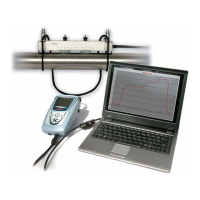
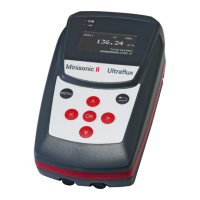
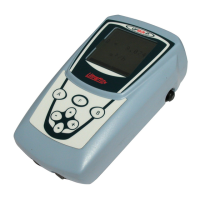
Provides a general introduction to the UF 801-P and UF 801-PB ultrasonic portable flow meters.
Explains the ultrasonic transit time measurement principle used by the flow meters.
Details common usage scenarios for the UF 801-P/PB flow meters, including probe selection.
Describes available probes, their types, supports, and selection criteria for installation.
Lists the items included in the standard delivery package for the UF 801-P/PB.
Illustrates and describes the external connections and ports available on the UF 801-P.
Details how to connect the UF 801-P to a PC for data logger download or other terminals.
Explains the functions of the keypad buttons for navigating menus and operating the device.
Provides an overview of the different menus available on the UF 801-P and their functions.
Guides the user through the configuration menu for customizing instrument settings and options.
Introduces the PC software provided with the UF 801-P for data management and analysis.
Provides guidelines for selecting appropriate clamp-on probes based on pipe size and conditions.
Offers advice on choosing the optimal location for probe installation on the pipe.
Explains the process of cleaning the pipe and applying coupling gel for proper probe contact.
Guides the user through the initial steps of connecting probes and taking the first measurements.
Describes the simplified mode for flow measurements, primarily for water at ambient temperature.
Details the display screens available in the measurement menu for viewing flow data.
Explains how to input pipe dimensions and fluid characteristics for accurate measurements.
Highlights the importance of selecting the correct probes and supports for the specific application.
Details how to measure and set the required distance between clamp-on probes.
Covers additional settings such as flow units, graph response time, and min/max ranges.
Introduces the Normal and Advanced modes for programming on various fluids and applications.
Details additional settings for pipe and fluid characteristics in Normal mode.
Explains how to perform zero offset adjustments for accurate flow readings, especially at low flow.
Covers advanced settings for multilayer pipes and turbulent to laminar flow transitions.
Describes how to adjust filtering and response time for stable and accurate flow readings.
Explains how to set special probes and enter linearization or error curve compensation.
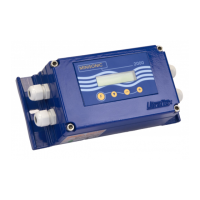
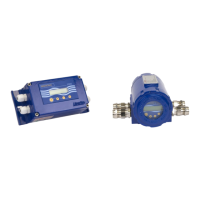
Introduces the UF 801-PB hardware, which supports two ultrasonic chords for dual pipe measurements.
Shows complementary display screens specific to the dual pipe version, referencing Pipe A and Pipe B.
Explains how to use the Echo Display menu to check ultrasonic measurement conditions and signal quality.
Provides examples of echo shapes and criteria for evaluating measurement quality under various conditions.
Guides the installation of the PC software and connection of the UF 801-P to a computer.
Details the 'Dialogue' menu options for viewing measurements, settings, and logger data.
Explains how to process, archive, and print measurement results using PC software and Excel macros.
Describes how to configure the data logger settings via keypad or PC software.
Guides the user on how to download and read recorded data from the data logger.
Explains how to edit and process data logger files using Microsoft Excel.
Explains the function and settings of the totalizers for volume counting.
Introduces the possibilities for exporting data and measured values via output modules.
Details the configuration and use of the analogue output for current or voltage signals.
Explains how to configure relay outputs for totalizer increments or other events.
Describes the frequency output option for proportional flow rate indication.
Explains the PT100/PT1000 inputs for temperature measurements, often used with heat flow.
Provides wiring diagrams for external connections and I/O module interfaces.
Details the settings for the Timer/Sequencer function, allowing delayed start or periodic operation.
Explains how to save and load calibration files or settings configurations on the UF 801-P.
Describes the principle and use of the ultrasonic thickness gauge function.
Outlines the steps for installing the thickness measurement probe on the UF 801-P.
Explains how to measure the sound velocity of a material for accurate thickness readings.
Defines 'Function motor' as special or specific functions implemented in the firmware.
Discusses the adaptability of UF 801-P architecture for special functions on request.
Mentions the heat or caloric flow application as a recently developed function.
Introduces the function for measuring heat flow rate and heat quantity using optional modules.
Illustrates a typical installation setup for measuring heat flow on a heater or exchanger.
Shows the wiring methods for connecting PT100 or PT1000 sensors to the UF 801-P.
Explains the importance of entering fluid characteristics like density and specific heat for caloric calculations.
Details how to set up PT100/PT1000 sensors, including offset adjustment for accuracy.
Shows how to read caloric measurements on the UF 801-P display and on a PC.
Guides on setting up the data logger to record caloric measurement outputs and reading them.
Provides typical physical data for water, used in caloric heat flow calculations.
Describes the internal NiMH battery pack, its supervision, charging, and user battery life.
Discusses the limited lifespan of battery packs and the typical number of charge/discharge cycles.
Provides advice on separating site problems from device issues and maintaining the instrument.
Addresses common issues like inaccurate measurements, unstable operation, or lack of display.
Suggests contacting support for in-depth analysis of difficulties or problems.
Outlines services for module addition, maintenance, and conditions for warranty.
Provides information on pipe dimensions, including metric and ANSI/API standards.
Offers typical values for pipe roughness coefficients, influencing flow calculations.
Explains how fluid characteristics like density and temperature affect sound velocity.
Details the relationship between water speed of sound and temperature for dimensional checking.
Presents data on speed of sound for various petroleum products based on density.
Discusses gas characteristics and provides examples of sound velocity in common gases.
 General
| Type | Ultrasonic flow meter |
|---|---|
| Power supply | 24 VDC or 100-240 VAC |
| Outputs | 4-20 mA, pulse, relay |
| Resolution | 0.001 m/s |
| Temperature Compensation | Automatic |
| Accuracy | ±1% of reading |
| Fluid types | Liquids (homogeneous, single-phase) |
| Pipe sizes | DN6000 |
| Communication | RS-485, Modbus |
| Protection class | IP65 |
| Weight | 1.5 kg |
| Technology | Transit-time ultrasonic |

 To Next Page