1
SECTION 1
KC-2A CCD COLOR OBSERVATION CAMERA
1.1 PURPOSE
The KC-2A CCD color observation camera provides a low cost
solution to closed circuit television and security surveillance
applications. The KC-2A camera features:
• 1/3” interline transfer CCD image sensor
• Supports standard CS- or C-mount lens
• Equipped with electronic iris
• Compatibility with video auto-iris lens
• Excellent picture quality
• Two-year warranty
This manual describes how to setup and operate the KC-2A
Camera.
1.2 SYSTEM INSTALLATION
Installation of the KC-2A camera must be performed by qualified
service personnel in accordance with all local and national
electrical and mechanical codes. Perform the following steps to
install the KC-2A camera.
A. Remove all components from the package and identify the
items that will be used during installation:
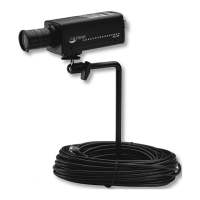
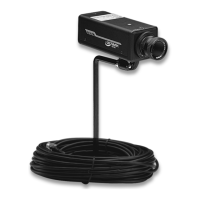
• KC-2A camera
• KO-500 camera stand
• KO-60 camera cable
Other items used during the installation that are NOT
supplied with the KC-2A camera may include:
• Camera lens
• Mounting hardware
• Observation monitor
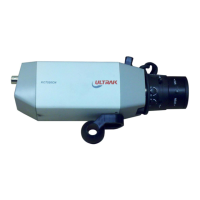
Refer to Figure 1 for identification of the KC-2A camera.


 To Next Page