Helpline No UK. 0871 2000 463 ROI. 01443 3940
Web Support: www.umc-uk.co.uk
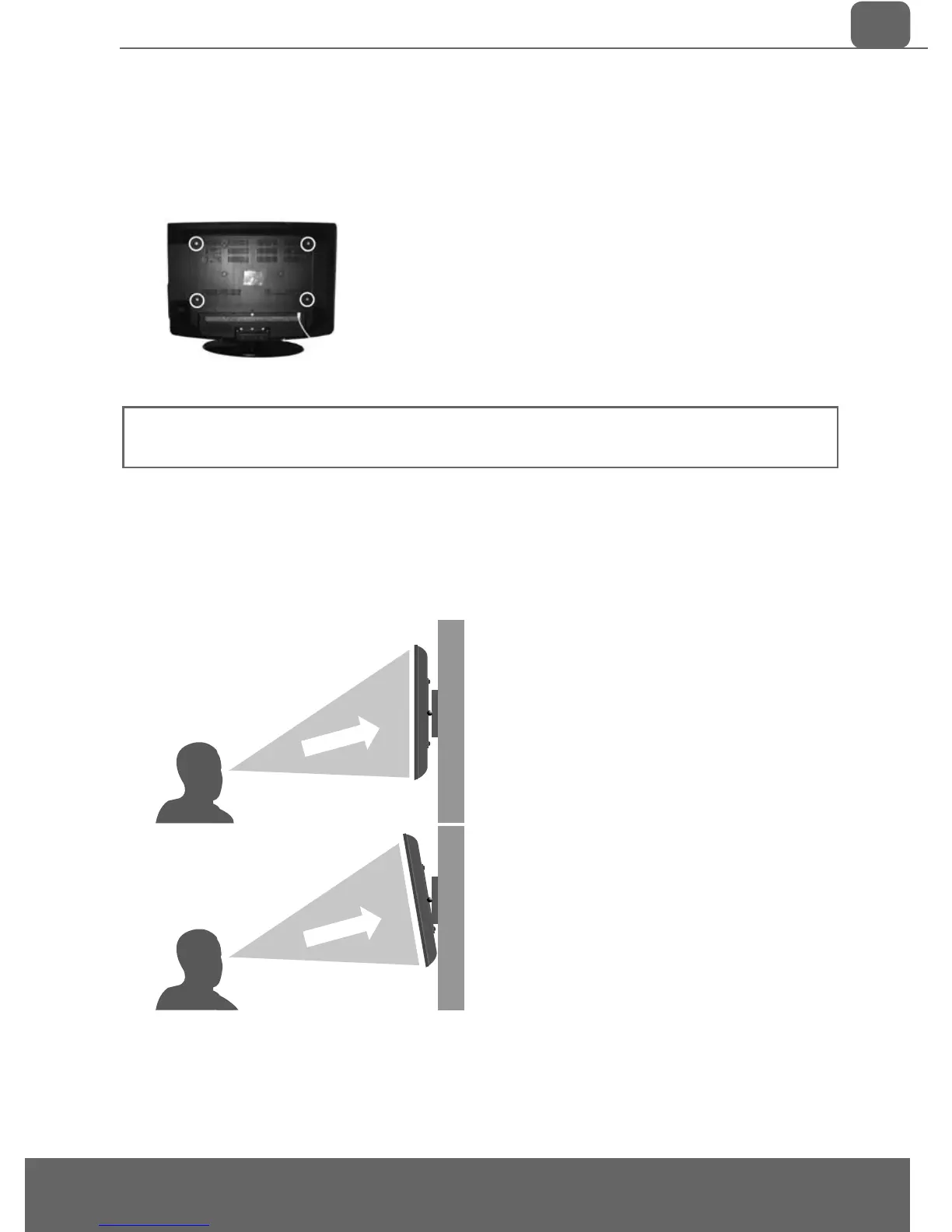
fi g 1
fi g 2
Optimum viewing - if wall mounting the TV higher than eye level, the TV should be tilted downwards so
that the TV’s screen is ‘face on’.
See fi g 1 and 2
Important – If wall mounting this TV, only use the screws already provided in the wall mounting holes.
Using other screws which are longer could cause irreparable damage to internal parts.
TV
TV
Viewing angle
Viewing angle
INCORRECT
CORRECT
IMPORTANT - Before drilling any holes in the wall ensure you are not drilling
where there could be any electric wires, water or gas pipes.
1) Remove the four screws highlighted below.
2) The wall mount can now be easily attached to the mounting holes on
the rear of the TV. These holes are indicated in the picture below.
WALL MOUNTING
Getting Started - Initial Set Up


 To Next Page