Getting Set-Up
EYE MINI USER MANUAL 19
PC Software Installation
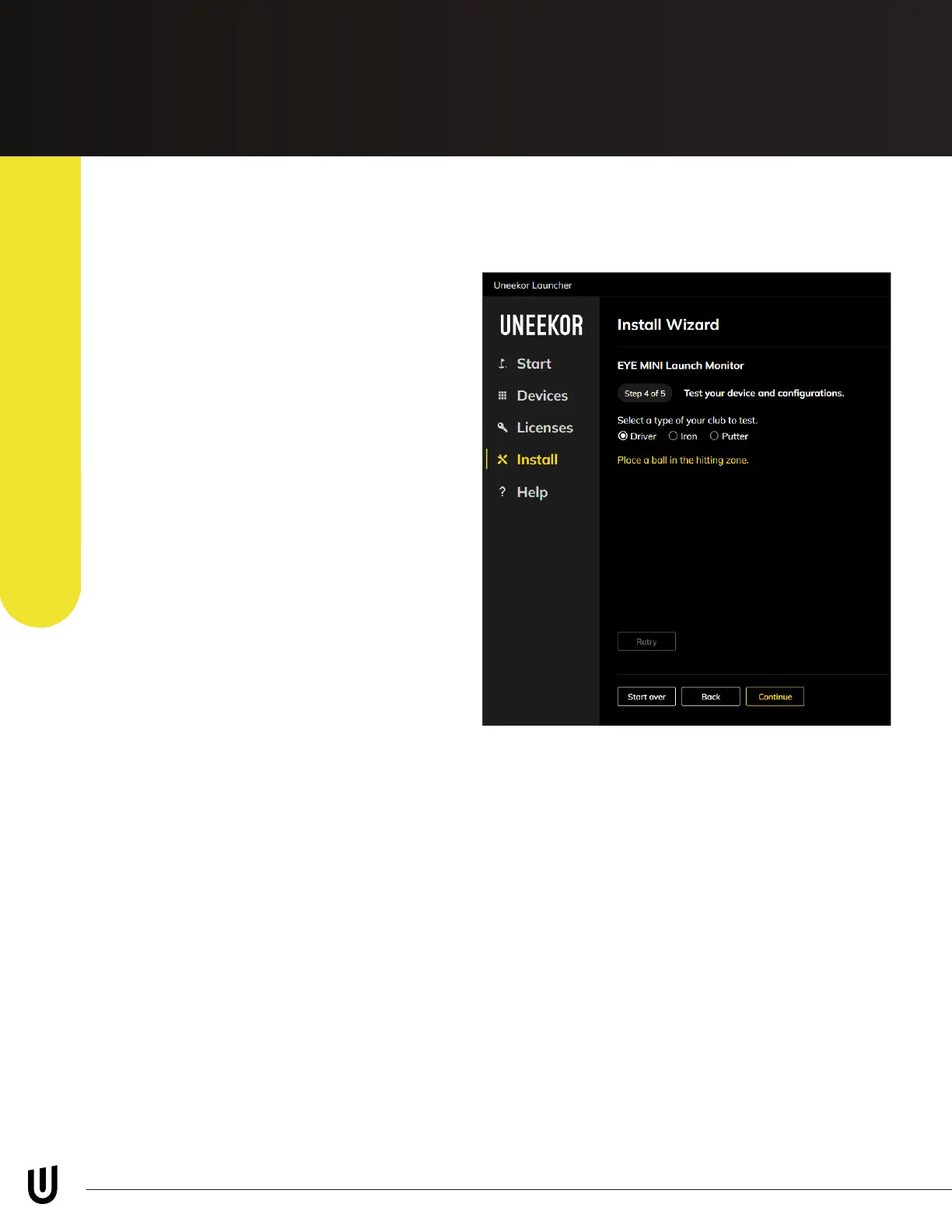
Step 4
Step 4 will ask you to take a test shot.
Select the applicable club you are
hitting and place a ball in the hitting
zone.
After you hit a shot, the Club Optix
footage will display the impact photo
and show the ball speed. If this
appears and press “Continue” to go to
the last step.
If you would like to hid another shot,
click the “Retry” button at the bottom
of the page.
You are now done with the installation process. Please navigate to the “Start” tab to
install your View software, third party connector, and Rene/Rene+ if purchased.
For any third party software please follow their install instructions. For any help with
third party software installation, please contact the according companies support
team.
E6: https://e6golf.com/support/
GSPro: https://gsprogolf.com/ or support@gsprogolf.com
TGC 2019: https://csc.protee-united.com/hc/en-us


 To Next Page