Getting Set-Up
EYE MINI USER MANUAL 18
PC Software Installation
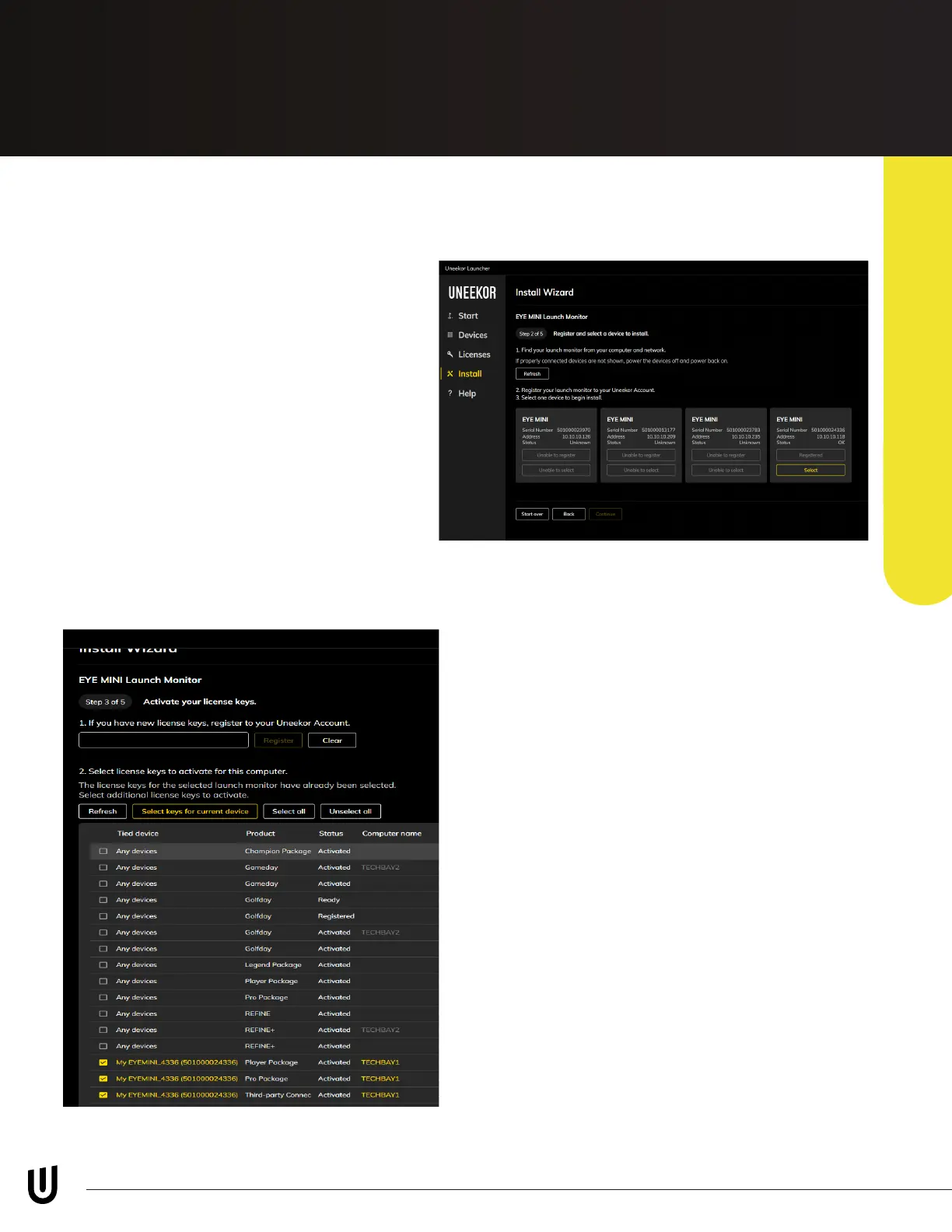
Step 2
Click “Select” on your EYE MINI device. If
you do not see your EYE MINI on the list,
please check the internet is connected
properly and you have selected the
correct internet connection method
during Step 1.
Step 3
Select your applicable licenses individually
by selecting the box on the left column. As
well you can manually enter license codes
using the bar on top. Lastly, you can select
all your keys with one click using the “Select
license keys for current device” button.
Ensure you press “Activate” on the bottom
of the page before continuing to the next
step.



 To Next Page