UNI-T
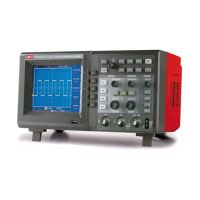
UPO 3000E&UPO2000E Series Oscilloscope Programming Manual
:FUNCtion:SOUR1 CHAN1 set channel 1 as source 1
:FUNC:FFT:FREQ? query return 1.000e003
:FUNCtion:FILTer:TYPE
Command format:
:FUNCtion:FILTer:TYPE {LP|HP|BP|BS}
:FUNCtion:FILTer:TYPE?
Functional description:
Set filter mode, LP、HP、BP、BS presents low-pass filter, high-pass filter, band-pass filter and
band-stop filer respectively.
Return format:
Query return LP, HP, BP, BS.
For example:
:FUNCtion:SOUR1 CHAN1 set channel 1 as source 1
:FUNC:FILT:TYPE BP set as band-pass filter
:FUNC:FILT:TYPE? query return BP
:FUNCtion:FILTer:FREQuency:HIGH
Command format:
:FUNCtion:FILTer:FREQuency:HIGH < freq>
:FUNCtion:FILTer:FREQuency:HIGH?
Functional description:
The setting of the upper frequency limit of filter. It is applicable for high-pass filter, band-pass
filer and band-stop filter.
Return format:
Query return 1.000e003,unit is Hz.
For example:
:FUNCtion:SOUR1 CHAN1 set channel 1 as source 1
:FUNC:FILT:FREQ:HIGH 1KHz set the upper frequency limit of filter as 1kHz
:FUNC:FILT:FREQ:HIGH? query return 1.000e003
:FUNCtion:FILTer:FREQuency:LOW
Command format:
:FUNCtion:FILTer:FREQuency:LOW <freq>
:FUNCtion:FILTer:FREQuency:LOW?
Functional description:
The setting of the low frequency limit of filter. It is applicable for high-pass filter, band-pass filer
and band-stop filter.


 To Next Page
 Loading...