04
www.unicorn-darts.com
PRESS the
connection
button to
get to the
connection
menu
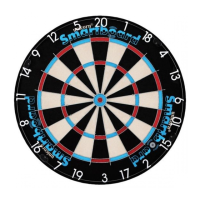
Magnetise ALL steel tip dart
points. Insert each point
in the magnetiser hole on
the front of the Unicorn®
Smartboard®. HOLD FOR
3 SECONDS
Choose a game from the
Unicorn® ScoreBuddy®
menu and start playing!
Press the connection button
in the top right of the screen to
get to the connection menu.
Add players!
Ensure your status is enabled
for all three connections as
shown above.
If your dartboard does not connect automatically, press the smart button on
the dartboard and then the reconnect button in the Unicorn® ScoreBuddy® app.
Add players
Activate the dartboard. Press
the button on the front of the
Unicorn® Smartboard®. A light
will ash next to the button.
STEP 12
Choose a game,
and you are
ready to play!
After you have thrown your 3
darts, you can press the smart
button on the dartboard to
switch to your opponents turn, or
follow the instructions on the app.
If your dart doesn’t hit the board
you can register the miss on
the Unicorn® ScoreBuddy® app
or tap the smart button on the
dartboard for each missed dart.
STEP 15 STEP 16 STEP 17
STEP 13STEP 12 STEP 14



 To Next Page