EasyManua.ls Logo

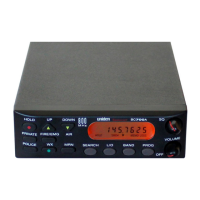
Uniden BC3000XLT - User Manual

Uniden BC3000XLT
51 pages
Print Icon
To Next Page IconTo Next Page
Loading...
Question and Answer IconNeed help?

Do you have a question about the Uniden BC3000XLT and is the answer not in the manual?

Summary

Controls and Indicators

Squelch Control

Adjusts the squelch level to block noise.

Lockout

Function to exclude channels from scanning.

Priority Channel

Channel for priority monitoring.

Precautions

Battery Warnings

Warnings and disposal for Ni-Cad batteries.

Keypad Functions

Keypad

Buttons for operating the scanner.

Search Navigation Buttons

Buttons for search up/down and limit.

Search Button

Initiates frequency search.

Mode Selection Buttons

Buttons for selecting Scan or Manual mode.

Introduction

Scanner Capabilities

Monitors frequency bands and NOAA broadcasts.

Programming Channels Overview

Organize frequencies into banks and channels.

Scanner Features Explained

Auto-Store Function

Automatically stores active frequencies.

Priority Channels Function

Designates channels for special scanning access.

Scan;Search Delay

Stays on a frequency for a short period.

Direct Channel Access

Manually select channels without scanning.

Channel;Frequency Lockout

Temporarily removes channels/frequencies from scan.

Weather Channel Scan

Locates strong NOAA weather channels.

Getting Started

Power Management

Information on battery usage and charging.

Scanner Basics

Banks and Channels

How frequencies are organized into memory.

Setting the Squelch

Programming Channels

Manual Programming

Step-by-step guide to manual channel programming.

Manual Programming Details

Storing Frequencies

How to save programmed frequencies.

Search Programming

Search Programming Steps

Entering Search Limits

Setting the frequency range for search.

Starting and Storing Search Results

How to initiate search and save found frequencies.

Auto-Store Programming

Auto-Store Programming Steps

Selecting Banks for Auto-Store

Choosing which banks to store frequencies in.

The Scan Mode

Scan Mode Operations

Locking Out Channels

Excluding specific channels from scanning.

Priority Scan Features

Using Priority Scan

Monitoring designated priority channels.

The Search Mode

Beginning A Search

Setting frequency limits to start a search.

Using Search Delay

Locking Out Frequencies

Excluding unwanted frequencies during search.

The Manual Mode

Manual Mode Operations

Selecting A Specific Channel

Directly accessing any channel by number.

Scanning Weather Channels

Troubleshooting

Summary

Controls and Indicators

Squelch Control

Adjusts the squelch level to block noise.

Lockout

Function to exclude channels from scanning.

Priority Channel

Channel for priority monitoring.

Precautions

Battery Warnings

Warnings and disposal for Ni-Cad batteries.

Keypad Functions

Keypad

Buttons for operating the scanner.

Search Navigation Buttons

Buttons for search up/down and limit.

Search Button

Initiates frequency search.

Mode Selection Buttons

Buttons for selecting Scan or Manual mode.

Introduction

Scanner Capabilities

Monitors frequency bands and NOAA broadcasts.

Programming Channels Overview

Organize frequencies into banks and channels.

Scanner Features Explained

Auto-Store Function

Automatically stores active frequencies.

Priority Channels Function

Designates channels for special scanning access.

Scan;Search Delay

Stays on a frequency for a short period.

Direct Channel Access

Manually select channels without scanning.

Channel;Frequency Lockout

Temporarily removes channels/frequencies from scan.

Weather Channel Scan

Locates strong NOAA weather channels.

Getting Started

Power Management

Information on battery usage and charging.

Scanner Basics

Banks and Channels

How frequencies are organized into memory.

Setting the Squelch

Programming Channels

Manual Programming

Step-by-step guide to manual channel programming.

Manual Programming Details

Storing Frequencies

How to save programmed frequencies.

Search Programming

Search Programming Steps

Entering Search Limits

Setting the frequency range for search.

Starting and Storing Search Results

How to initiate search and save found frequencies.

Auto-Store Programming

Auto-Store Programming Steps

Selecting Banks for Auto-Store

Choosing which banks to store frequencies in.

The Scan Mode

Scan Mode Operations

Locking Out Channels

Excluding specific channels from scanning.

Priority Scan Features

Using Priority Scan

Monitoring designated priority channels.

The Search Mode

Beginning A Search

Setting frequency limits to start a search.

Using Search Delay

Locking Out Frequencies

Excluding unwanted frequencies during search.

The Manual Mode

Manual Mode Operations

Selecting A Specific Channel

Directly accessing any channel by number.

Scanning Weather Channels

Troubleshooting

Uniden BC3000XLT Specifications

General IconGeneral
TypeHandheld Scanner
Modulation TypesAM, FM, WFM
Priority ScanYes
DisplayLCD
Weather ScanYes
AntennaTelescopic Antenna
BandsVHF, UHF
Power Supply6 AA batteries
Step Size5, 12.5, 25 kHz

Related product manuals