EasyManua.ls Logo

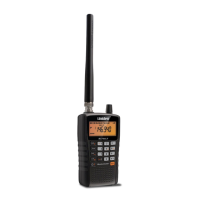
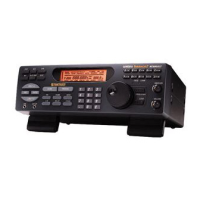
Uniden BC355N - User Manual

Uniden BC355N
68 pages
Print Icon
To Next Page IconTo Next Page
Loading...
1
OWNERS MANUAL
BC355N
SCANNER

Other manuals for Uniden BC355N

Questions and Answers

  • C
    Cole KelleyJul 26, 2025
    What to do if my Uniden Scanner won't work?
    • C
      Caleb MooreJul 26, 2025
      If your Uniden Scanner isn't working, here are a few things you can try: * Check the connections at both ends of the AC adapter. * Ensure the wall switch for the outlet is turned on; try another outlet. * Verify the connections at both ends of the DC cord or Vehicle Power Adapter. * Check if the fuse is blown and make sure the vehicle's ignition key is in the Accessory position. * Confirm that the power switch is turned on.
  • S
    Suzanne PadillaJul 31, 2025
    Why does my Uniden Scanner have improper reception?
    • M
      msimmonsJul 31, 2025
      If your Uniden Scanner is experiencing improper reception, consider the following: * Check the antenna and its connection. * Try moving the scanner to a different location. * If you are in a fringe area, you might need a multi-band antenna. Check with your dealer or local electronics store.
  • C
    Catherine BrewerAug 5, 2025
    What to do if Uniden Scanner scan won’t stop?
    • P
      Paul Long MDAug 5, 2025
      If the scan function on your Uniden Scanner won’t stop, try these steps: * Check and adjust the Squelch control. * Inspect the antenna connection. * Verify that all channels are not locked out, as this could mean none of the programmed frequencies are active. Try the band search feature.
  • B
    Barbara SchmidtAug 10, 2025
    How to fix Uniden Scanner weather scan that won’t work?
    • K
      Katherine ScottAug 10, 2025
      If the weather scan on your Uniden Scanner isn’t working, try the following: * Adjust the Squelch control. * Check the antenna connection. * Review each channel’s frequency to confirm it is still stored in memory and is correct.
  • L
    Lynn BrownAug 15, 2025
    What to do if Uniden Scanner scan won't start?
    • D
      Dr. Danielle Dean DDSAug 15, 2025
      If the scan function on your Uniden Scanner won't start, consider these solutions: * Press the bank key again. * Adjust the Squelch Control. * If using a PRIVATE bank, program frequencies into the bank before starting the scan.
  • L
    luisnashAug 20, 2025
    Why won't my Uniden Scanner search start?
    • J
      jessicataylorAug 20, 2025
      If the search function on your Uniden Scanner isn’t starting, try these steps: * Adjust the Squelch Control. * Check the antenna connection.

Summary

IMPORTANT INFORMATION

Precautions and Warnings

Essential safety guidelines, including warnings about moisture and proprietary information.

FCC Compliance

FCC Compliance Statement

Scanner tested to comply with FCC rules for radio frequency emissions and interference.

SCANNING LEGALLY

Legal Scanning Guidelines

Understanding the legal aspects and limitations of scanning radio frequencies.

ABOUT YOUR NEW BC355 N SCANNER

Feature Summary

Highlights of the BC355N's key features, including Turbo Search and bank organization.

BAND PLANS

USA and Canada Band Plans

Details on USA and Canada band plans for frequency scanning.

INCLUDED IN YOUR SCANNER PACKAGE

Optional Accessories

Information on additional accessories available for the BC355N.

INSTALLING THE BC355 N SCANNER

Installation Guide

Step-by-step guide for installing the scanner for home and mobile use.

SCANNER OPERATION OVERVIEW

Front Panel Controls

Detailed explanation of the buttons and controls on the scanner's front panel.

Key Functions

Explanation of the purpose and operation of each key on the BC355N front panel.

BC355 N REAR PANEL

Rear Panel Connectors

Description of the connectors and ports on the rear of the BC355N scanner.

USING YOUR BC355 N SCANNER

Setup and Operating Modes

Guide to scanner setup, squelch adjustment, and operating modes (Scan/Search).

Scan and Search Modes

How to use the SCAN and SEARCH modes for monitoring and frequency discovery.

Bank Management Notes

Notes on managing multiple banks using PD/FD/EMG and AIR/MRN keys.

Scanning Service Bank Tips

Service Bank Scanning Advice

Practical advice for efficiently scanning service banks and managing bank selection.

Searching Band Tips

Band Searching Advice

Tips for effective band searching and handling found frequencies.

SCREENS

Screen Displays Overview

Illustrations and explanations of typical screen displays during operation.

Searching Band Displays

Examples of screen displays during band searching operations.

SPECIAL FEATURES

Lock Out Channels;Frequencies

How to lock out unwanted channels or frequencies to improve scanning.

Types of Lock Out

Details on Temporary and Permanent lock-out methods.

CLOSE CALL

Close Call Functionality

Explanation of the Close Call feature for detecting nearby signals.

Setting Up Close Call Modes

Steps to configure Close Call settings like band selection and alerts.

Close Call Band Options

How to select specific frequency bands for Close Call monitoring.

PRIVATE BANK

Programming Frequencies and Channels

Instructions for entering frequencies into programmable banks.

Programming a Channel

Step-by-step process to program a found frequency into a scanner channel.

Deleting a Programmed Frequency

Method for removing programmed frequencies by overwriting with null data.

PROGRAM LOCK FEATURE

Program Lock Operation

How to prevent accidental programming changes and unauthorized access.

CLEAR ALL MEMORY

Memory Clearing Procedure

Procedure to reset the scanner to factory defaults, clearing all programmed data.

TROUBLESHOOTING GUIDE

Scanner Malfunctions

Solutions for common problems encountered with the BC355N scanner.

Reception Issues

Tips for improving reception quality and resolving signal issues.

Scan Function Issues

Steps to diagnose and fix problems with scan functions.

Scanning and Search Problems

Solutions for common issues like scan not stopping or starting.

GENERAL PRODUCT CARE

Care and Maintenance

Guidelines for maintaining and cleaning the BC355N scanner.

REPAIRS

Repair Information

Information on how to handle repairs, as the scanner has no serviceable parts.

BIRDIES

Birdie Signal Management

Explanation of internal radio signals (birdies) and how to manage them.

TECHNICAL SPECIFICATIONS

Specifications Overview

Key technical details of the BC355N scanner, including size and power.

Bank and Band Specifications

Details on banks, searchable bands, scan rate, and delay.

WARRANTY

Warranty Terms and Conditions

Details of the one-year limited warranty for the BC355N scanner.

Uniden BC355N Specifications

General IconGeneral
Color scanning-
Input color depth- bit
Maximum scan size- mm
Optical scanning resolution- DPI
Product colorBlack
Processor frequency800 MHz
Daily duty cycle (max)- pages
Power supply typeAC

Related product manuals