47
• C - C.PS - Set Pager screen.
3. Use the UP or DOWN keys to scroll through the menu
selections.
4. Press PROG to select a menu, and then scroll up or down
to view the menu options. When you have selected a menu
option, press PROG to set it.
5. Press BAND key to return to the previous option, or press
to return to the CC mode selection options.
Setting C ‐ C.bAnd Options
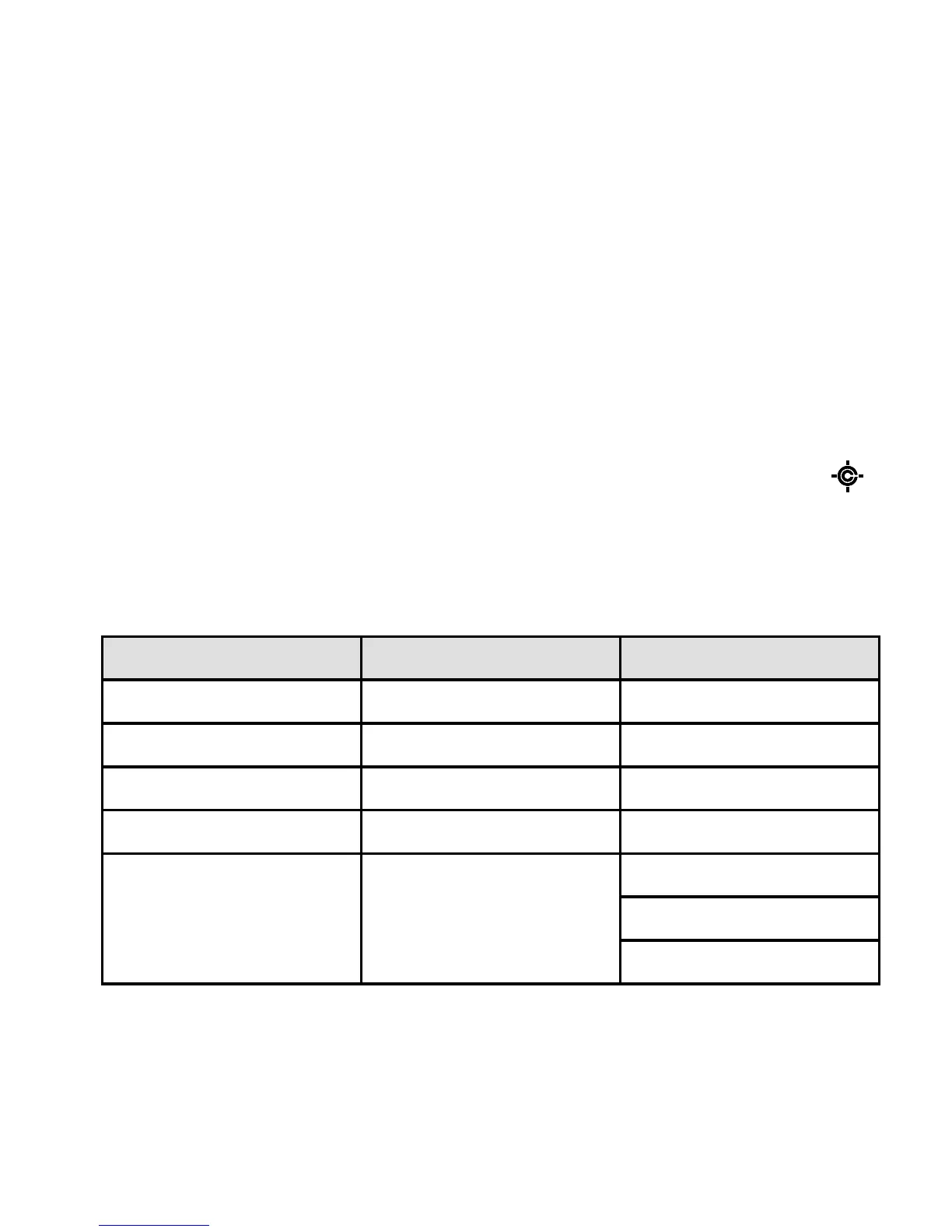
Use this menu to select which bands get Close Call checks:
Band Name Frequency (MHz)
b1 Lo VHF Low Band 25.0000 - 54.0000
b2 Air AIR Low Band 108.0000 - 136.9916
b3 Hi VHF High Band 137.0000 - 174.0000
b4 UHF UHF Band 406.0000 - 512.0000
b5 800 800MHz Band 806.0000 - 823.9875
849.0125 - 868.9875
894.0125 - 956.0000





 To Next Page