EasyManua.ls Logo

Uniden LRD747 - User Manual

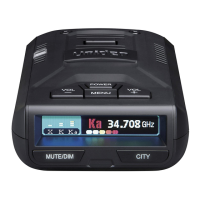
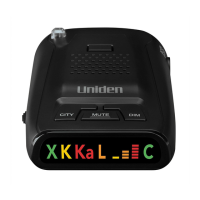
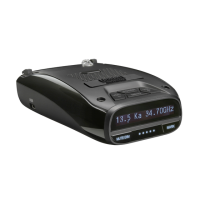
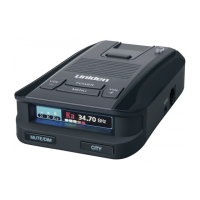
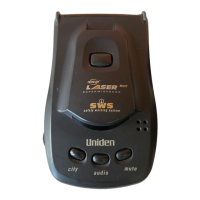
Uniden LRD747
23 pages
Print Icon
To Next Page IconTo Next Page
Loading...
C:...LRD747-757covers.vp
Tue Oct 05 12:10:01 1999
Color profile: Disabled
Composite Default screen

Questions and Answers

  • A
    Alyssa ReynoldsJul 30, 2025
    What to do if my Uniden Radar Detector has signal but no audio?
    • J
      Jesse LesterJul 30, 2025
      If your Uniden Radar Detector's signal strength meter registers but there's no audio, ensure City Mode is OFF for highway use and increase the volume.
  • J
    James McmillanAug 4, 2025
    How to fix a Uniden Radar Detector that won't turn on?
    • X
      xjohnsonAug 4, 2025
      If your Uniden Radar Detector is not operating and the power LED is off, check the power cord and ensure the connectors are properly installed. Make sure the ignition key is ON or in the accessory position. Check and replace the fuse if necessary. Also, verify power to the lighter socket, ensure the volume control is ON, and clean the cigarette lighter socket. If a vehicle electrical problem exists, it needs to be addressed.
  • M
    Mark GreenAug 8, 2025
    Why does my Uniden LRD747 beep at the same location?
    • R
      Robert RamosAug 8, 2025
      If your Uniden Radar Detector is beeping at the same location, it's likely falsing due to passing a motion sensor or alarm.
  • J
    Jessica BowmanAug 13, 2025
    Why does my Uniden Radar Detector beep on bumpy roads?
    • P
      Paul JonesAug 14, 2025
      If your Uniden Radar Detector beeps over bumps or rough roads, check that the power cord is securely connected at both ends and clean the cigarette lighter socket.
  • Z
    zmarshallAug 19, 2025
    Why is my Uniden LRD747 Radar Detector not detecting signals well?
    • J
      Jennifer PattersonAug 19, 2025
      If your Uniden Radar Detector demonstrates weak detection, check the unit's angle, ensuring it points to the horizon. Move the unit clear of any obstructions outside the windshield, such as a wiper blade, and also ensure it is clear of any window tint.
  • D
    Dr. Hunter ZunigaAug 23, 2025
    What to do if my Uniden LRD747 Radar Detector bounces on the windshield?
    • J
      james43Aug 25, 2025
      To fix the issue where the Uniden Radar Detector bounces against the windshield, reposition the unit so that the bumpers are firmly against the windshield.

Summary

Introduction to Uniden Radar Detectors

Feature Highlights

List of key features for the LRD 747/LRD 757 radar detector, highlighting its advanced capabilities.

Radar Detector Package Contents

Understanding Speed Detection Methods

Radar Detection Explained

Explanation of how radar speed detection systems work, including X, K, and Ka bands and their characteristics.

Laser Detection Explained

Explanation of laser speed detection systems (LIDAR), beam properties, and detection range.

Radar Detector Controls and Functions

Device Controls Overview

Covers clip release, detector lenses, control buttons, speaker, power input, and volume control.

LED Panel Indicators

Detailed explanation of the device's LED indicators for signal detection, modes, and system status.

Installing Your Radar Detector

Mounting and Placement Tips

Advice on optimal placement and mounting of the radar detector for best performance and safety.

Adjusting the Windshield Mount

Instructions on how to adjust the windshield mounting bracket for different vehicle windshield angles.

Connecting the Power Cord

Steps for connecting the unit to the vehicle's power source via the cigarette lighter socket.

Replacing the Fuse

Procedure for safely replacing the fuse located in the cigarette lighter plug if needed.

Operating Your Radar Detector

Power On and Self-Test

How to turn the unit on, the self-test sequence, and initial operation checks.

Adjusting Volume Levels

How to adjust the audible alert volume to a comfortable level for the user.

Memory Retention Feature

Explanation of the unit's ability to retain settings for at least 2 days without power.

Full Warning Alerts

Describes how the unit provides distinct warning tones and visual alerts for detected signals.

Audio Alert Only Mode

How to enable audio-only alerts, dimming visual indicators and disabling the signal strength meter.

Visual Alert Only Operation

How to operate the unit with visual alerts only by setting volume to minimum.

Auto Mute Operation

How the Auto Mute feature reduces alert volume to chirps after initial reception.

City Operation Mode

How to use City Mode to reduce false alarms from non-radar signals in populated areas.

LED Signal Strength Meter

How the LED signal strength meter provides visual information about signal detection strength.

Safety Warning System Alerts

How the unit detects and alerts for road hazards transmitted via the Safety Warning System.

Care and Maintenance Guidelines

Troubleshooting Common Issues

Unit Not Operating (Power LED Off)

Solutions for when the unit's power LED is not illuminated.

Self-Test Failure

Steps to take if the radar detector fails its self-test sequence upon startup.

Weak or Erratic Detection

Troubleshooting tips for poor detection range or inconsistent alert behavior.

False Alerts and Bouncing Issues

Solutions for issues like false alarms, beeping over rough roads, or unit bouncing against the windshield.

Technical Specifications

General Device Specifications

Physical dimensions, weight, power requirements, and operating temperature ranges for the detector.

Laser Detector Specifications

Technical details for the 360° laser detection system, including receiver type, bandwidth, and spectral response.

Radar Detector Specifications

Technical details for the radar detection system, including receiver type, antenna, sensitivity, and frequency bands.

Uniden LRD747 Specifications

General IconGeneral
BrandUniden
ModelLRD747
CategoryRadar Detector
LanguageEnglish

Related product manuals