EasyManua.ls Logo

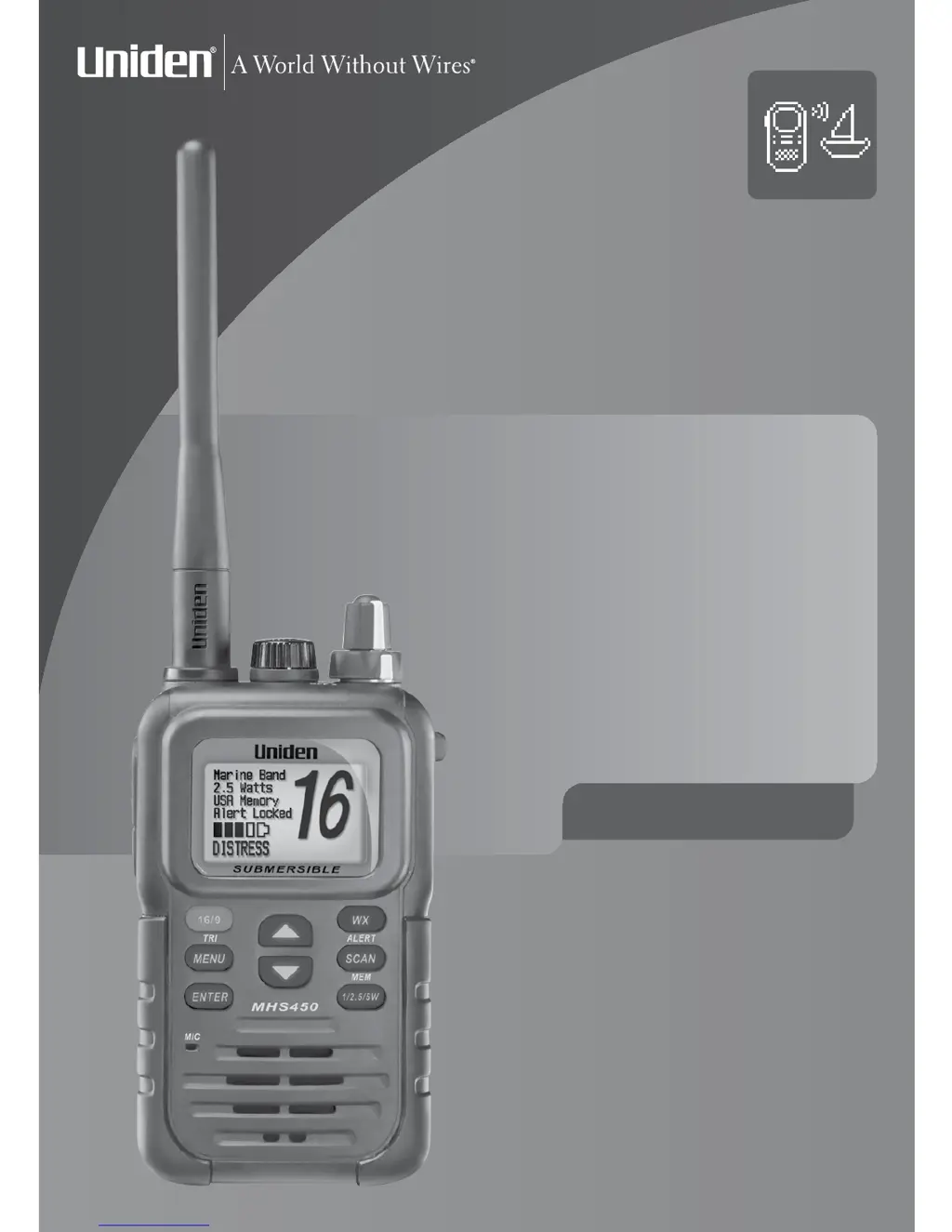
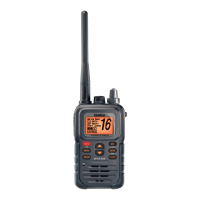
Uniden MHS450 - User Manual

Uniden MHS450
56 pages
Print Icon
To Next Page IconTo Next Page
Loading...
OWNER'S MANUAL
UNIDEN
MARINE
2-WAY
VHF RADIO
MHS450

Table of Contents

Other manuals for Uniden MHS450

Questions and Answers

  • K
    kevinbrownAug 12, 2025
    What to do if my Uniden MHS450 won’t transmit?
    • N
      Nicholas LopezAug 12, 2025
      If your Uniden Two-Way Radio won’t transmit, ensure you are not in weather or scan mode. Verify you are not trying to transmit on a receive-only channel and that you're using the correct power level for the channel. Also, make sure that each transmission is less than 5 minutes.
  • W
    William SchmidtAug 16, 2025
    Why am I not getting hazard alerts on my Uniden Two-Way Radio?
    • V
      vaughanwendyAug 16, 2025
      If you are not getting any hazard alerts on your Uniden Two-Way Radio, first ensure that the Weather Alert Watch is turned on. Secondly, verify that the FIPS codes programmed into your radio include your current location.
  • J
    Juan FullerAug 20, 2025
    Why is my Uniden MHS450 getting all hazard alerts?
    • T
      Thomas GarciaAug 20, 2025
      If you are getting all hazard alerts, not just the ones for your area on your Uniden Two-Way Radio, check that the FIPS codes in your radio were entered correctly. The Weather Alert Watch may catch a hazard alert in the middle of the broadcast and miss which FIPS codes are affected, triggering the alert tone and switching to the weather channel.
  • E
    Elijah NunezAug 25, 2025
    How to stop noise from Uniden MHS450 Two-Way Radio speaker?
    • B
      Brianna JohnsonAug 25, 2025
      If noise is constantly coming from the speaker of your Uniden Two-Way Radio, the squelch level is probably too low. Adjust the squelch level to resolve this issue.
  • J
    Joshua RobersonAug 27, 2025
    How to adjust display on Uniden MHS450 Two-Way Radio?
    • B
      Benjamin BrooksAug 28, 2025
      If you can't read the display on your Uniden Two-Way Radio, try adjusting the contrast level to make it more visible.
  • A
    Alyssa ClineAug 31, 2025
    Why can't anyone hear me on my Uniden MHS450?
    • V
      Victoria CunninghamAug 31, 2025
      If you can transmit with your Uniden Two-Way Radio, but no one can hear you, check your UIC channel settings.
  • J
    jeffrey29Sep 4, 2025
    What to do if I can’t hear anything from my Uniden Two-Way Radio speaker?
    • S
      Stacy JimenezSep 4, 2025
      If you can’t hear anything from the speaker of your Uniden Two-Way Radio, the squelch level is probably too high. Adjust the squelch level accordingly.
  • L
    Lisa HolmesSep 7, 2025
    Why is the display flashing on my Uniden Two-Way Radio?
    • T
      Timothy ConleySep 7, 2025
      If the display on your Uniden Two-Way Radio flashes, the radio may be in a watch mode or scan mode. Try turning off scanning, Weather Alert Watch, or Triple/Dual Watch.

Summary

A Quick Start Guide for the MHS450

Scanning Modes and Channel Monitoring

Normal Scanning

Scans all stored channels sequentially from lowest to highest.

DualWatch Scanning

Monitors the current channel and channel 16.

TripleWatch Scanning

Monitors the current channel, channel 9, and channel 16.

Weather Channel Scanning

Integrates weather channels into scanning sequences.

MHS450 Controls and Display

Device Controls Overview

Identifies and explains the physical buttons, knobs, and connectors.

LCD Display Explained

Details the icons, indicators, and information shown on the device screen.

Batteries and Power Management

Battery Types and Installation

Details on Lithium Ion and Alkaline battery packs and their installation.

Power Saving and Indicators

Features like AutoSave and battery level display explained.

Device Setup and Mounting

Charging Cradle Installation

Guides for mounting the charging cradle on a counter top or wall.

Belt Clip Attachment

Instructions for attaching the belt clip to the radio.

Core Radio Operations

Getting Started and Basic Controls

Initial power-on, volume adjustment, and channel selection.

Transmitting and Power Settings

How to transmit and manage power levels for effective communication.

Radio Configuration and Settings

Menu Navigation and Customization

Accessing and modifying various radio settings via the menu system.

Channel and Watch Mode Configuration

Setting country channels and configuring Dual/Triple Watch modes.

Display and Audio Adjustments

Customizing screen contrast, backlight, and key beep sounds.

Weather Information and Alerts

Accessing NOAA Weather Channels

Tuning into NOAA weather broadcasts and understanding alerts.

Configuring Specific Area Alerts (FIPS)

Setting up FIPS codes for localized weather warnings.

Technical Information and Support

Troubleshooting Common Issues

Guides to resolve operational problems and errors with the radio.

Product Specifications and Care

Detailed technical specs and recommended maintenance procedures.

Channel Frequency Data

USA Marine Channel Frequencies

Detailed list of USA channel numbers, frequencies, status, and names.

Canadian Marine Channel Frequencies

Detailed list of Canadian channel numbers, frequencies, status, and names.

International Marine Channel Frequencies

Detailed list of international channel numbers, frequencies, status, and names.

Three Year Limited Warranty

Uniden MHS450 Specifications

General IconGeneral
Waterproof RatingIPX7
DisplayLCD
NOAA Weather ChannelsYes
TypeHandheld
ChannelsAll USA, International and Canadian marine channels
Power Output5W / 1W
Battery Life12 hours (approx.)
Battery TypeRechargeable Lithium-Ion

Related product manuals