
 To Next Page
M
matthew56Aug 2, 2025
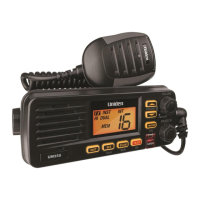
How to fix Uniden Marine Radio display I can't read?
- Jjames35Aug 2, 2025
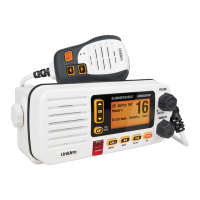
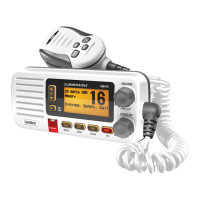
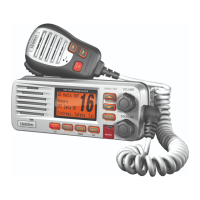
If you can’t read the display on your Uniden Marine Radio, adjust the dimmer level.

How to fix Uniden Marine Radio display I can't read?
If you can’t read the display on your Uniden Marine Radio, adjust the dimmer level.
What to do if Uniden UM355 won't power on?
If your Uniden Marine Radio won't power on, check the power connections, the fuse, and the master battery switch and branch circuit that connect to the radio.
Why won't my Uniden UM355 transmit?
If your Uniden Marine Radio won't transmit, ensure you are not in scan mode. Also, verify that you are not trying to transmit on a receive-only channel and that you are transmitting at the correct power level for the channel. Make sure the duration of each transmission is less than 5 minutes.
What to do if I can't hear anything from my Uniden UM355 Marine Radio speaker?
If you can't hear anything from your Uniden Marine Radio speaker, adjust the squelch level; it is probably too high.
How to stop noise coming from Uniden UM355 Marine Radio speaker?
If noise is constantly coming from the speaker of your Uniden Marine Radio, adjust the squelch level; it is probably too low.
Key features and capabilities of the Uniden UM355 VHF marine radio.
Explanation of type styles and symbols used in the Uniden UM355 manual.
List of items included in the Uniden UM355 VHF radio package.
Detailed explanation of the front panel buttons and their operations.
Instructions for turning on the radio and selecting country channel modes.
Combining normal operation with Triple/Dual Watch monitoring.
Steps for saving, using, and managing channels in scan mode.
How to access and use the Weather Mode for weather broadcasts.
Adjusting audio output volume and filtering background noise with squelch.
Methods for navigating through different VHF channels on the radio.
Switching between 1 Watt and 25 Watt transmission power levels.
Programming and using the Instant Channel feature for quick access.
Adjusting screen brightness (dimmer) and key beep settings.
Guidelines and steps for physically mounting the radio unit.
Specifics on connecting the power cable and antenna lead-in.
Answers to common questions and troubleshooting tips for the radio.
Technical specifications for the Uniden UM355 VHF marine radio.
Safety guidelines for selecting and installing VHF antennas.
 General
| Brand | Uniden |
|---|---|
| Model | UM355 |
| Category | Marine Radio |
| Language | English |