Need help?
Do you have a question about the Unihertz TANK and is the answer not in the manual?
Details the function and operation of each physical key on the phone.
Step-by-step guide on how to insert a Nano SIM card into the phone.
Instructions for powering the phone on and off, including troubleshooting low battery.
Guidance on battery care, charging practices, and battery status indicators.
Methods for transferring contacts using SIM card, Bluetooth, or computer synchronization.
Guide for completing the initial setup process, including language and Wi-Fi configuration.
Information on configuring and managing dual SIM card settings for calls and data.
Steps to connect the phone to the internet using Wi-Fi or mobile data.
Methods for securing and accessing the phone's screen.
Overview of the home screen layout, widgets, and switching between screens.
How to initiate calls using smart dialing and from the contacts list.
Methods for answering, declining, or responding to incoming calls.
Steps to add new contacts with their details, photos, and ringtones.
Guide on composing and sending SMS/MMS messages with attachments.
Steps to configure and add personal or exchange email accounts.
How to compose, attach files, and send emails from the phone.
Guide on framing, focusing, and capturing still images with the camera.
Overview of various camera modes like Time-lapse, Pro, and Macro photography.
Steps for recording videos, including pausing and resuming playback.
Steps to enable and use mobile data for internet access.
How to connect to Wi-Fi networks and troubleshoot connection issues.
Methods for sharing the phone's internet connection via Wi-Fi hotspot or tethering.
Configuration guide for setting up and managing a personal Wi-Fi hotspot.
How to monitor battery consumption and optimize battery life.
Steps to turn on and connect Bluetooth devices.
Customizing screen brightness, themes, wallpaper, and timeout settings.
Adjusting volumes, ringtones, notification sounds, and vibration effects.
Setting up screen lock patterns, passwords, or fingerprints.
Managing network access, app blocking, and call recording features.
Procedure for resetting the phone to its original factory state.
Instructions for performing system updates and OTA updates.
Enabling and using TalkBack for visually impaired users.
 General
| Display | 6.81 inches, IPS LCD |
|---|---|
| Resolution | 1080 x 2400 pixels |
| Processor | MediaTek Helio G99 |
| RAM | 8GB |
| Storage | 256GB |
| Front Camera | 32 MP |
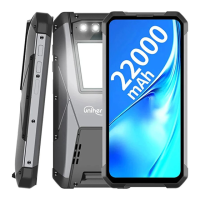
| Battery | 22000 mAh |
| Operating System | Android 12 |
| Water Resistance | IP68 |
| Weight | 560 g |
| SIM | Dual SIM (Nano-SIM, dual stand-by) |
| Display Protection | Corning Gorilla Glass |
| Chipset | MediaTek Helio G99 |
| CPU | Octa-core (2x2.2 GHz Cortex-A76 & 6x2.0 GHz Cortex-A55) |
| GPU | Mali-G57 MC2 |
| Memory Card Slot | microSDXC (uses shared SIM slot) |
| Main Camera Features | LED flash, HDR, panorama |
| Selfie Camera Video | 1080p@30fps |
| Loudspeaker | Yes |
| 3.5mm jack | Yes |
| WLAN | Wi-Fi 802.11 a/b/g/n/ac, dual-band, Wi-Fi Direct, hotspot |
| Bluetooth | 5.2, A2DP, LE |
| Positioning | GPS, GLONASS, GALILEO, BDS |
| NFC | Yes |
| Radio | FM radio |
| USB | USB Type-C 2.0, OTG |
| Sensors | Fingerprint (side-mounted), accelerometer, gyro, proximity, compass |
| Network | GSM / HSPA / LTE |
| Colors | Black, Orange |
| Main Camera Video | 1080p@30fps |
| Charging | 66W wired |
| Protection | IP68 dust/water resistant (up to 1.5m for 30 min) |
| Drop-to-concrete resistance | 1.5m |
| Main Camera | 108 MP + 20 MP + 2 MP (Night Vision) |

 To Next Page