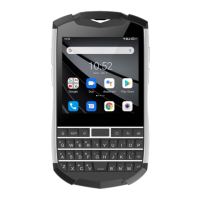
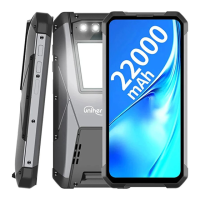
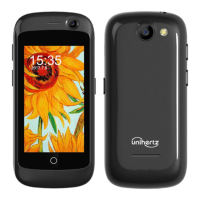
Need help?
Do you have a question about the Unihertz TITAN and is the answer not in the manual?
Step-by-step guide for inserting SIM and Micro SD cards.
Instructions on how to power the device on and off.
Guidance on charging the device and battery care.
Methods to transfer files between the phone and a PC.
Various methods to transfer contacts from a previous device.
Step-by-step guide for the initial phone setup after turning it on.
Steps to connect to a Wi-Fi network for internet access.
Instructions for enabling and using mobile data for internet.
Downloading and installing applications from the Google Play Store.
Steps to remove unwanted applications from the phone.
How to secure and access the phone's display.
Methods for capturing images of the phone's screen.
Opening and switching between apps from lock screen and home screen.
Various methods for initiating phone calls.
How to place emergency calls from the phone.
Handling incoming calls via swipe or buttons.
In-call options like mute, hold, and conference calls.
Adding new contact details to the phone.
Composing and sending text messages with attachments and emoticons.
Responding to incoming messages and from notification bar.
Setting up personal email accounts like Gmail.
Composing and sending emails with attachments.
Reading and managing emails in the inbox.
Opening the camera interface to take photos or videos.
Capturing still images using the camera.
Recording video clips with focus and pause controls.
Configuring photo and video resolution, EIS, microphone, etc.
Removing unwanted photos and videos to free up space.
Playing music and controlling playback.
Enabling and using mobile data for internet access.
Steps to connect to Wi-Fi networks and hotspots.
Methods for sharing internet connection via Wi-Fi hotspot and tethering.
Setting up and configuring a Wi-Fi hotspot.
Sharing internet via USB cable with a computer.
Sharing internet connection wirelessly via Bluetooth.
Moving files between phone and computer via USB.
Connecting USB storage devices directly to the phone.
Sending and receiving files wirelessly via Bluetooth.
Monitoring battery consumption and optimizing power.
Managing schedules, adding and deleting events.
Setting, enabling, disabling, and configuring alarms.
Recording and navigating back along a recorded path.
Notifying emergency contacts and sending location information.
Setting up APNs for mobile data connection.
Allowing apps to access the device's location.
Setting up PIN, password, or pattern for screen lock.
Registering and using fingerprint for unlocking.
Setting up and using face recognition for unlocking.
Resetting the phone to its original default configuration.
Installing system software updates for performance enhancement.
Downloading and installing over-the-air system updates.
Activating screen reader for visually impaired users.
Gestures and controls for navigating with TalkBack enabled.
Recommendations for protecting personal data and device security.
 General
| Display Size | 4.6 inches |
|---|---|
| RAM | 6GB |
| Storage | 128GB |
| Battery Capacity | 6000 mAh |
| Operating System | Android 9.0 (Pie) |
| Rear Camera | 16 MP |
| Front Camera | 8 MP |
| Keyboard | QWERTY |
| SIM | Dual SIM (Nano-SIM, dual stand-by) |
| Type | IPS LCD |
| GPU | Mali-G71 MP2 |
| Loudspeaker | Yes |
| 3.5mm jack | Yes |
| WLAN | Wi-Fi 802.11 a/b/g/n/ac, dual-band, Wi-Fi Direct, hotspot |
| Bluetooth | 4.1, A2DP, LE |
| GPS | Yes, with A-GPS, GLONASS |
| NFC | Yes |
| Radio | FM radio |
| USB | USB Type-C 2.0 |
| Sensors | Fingerprint (front-mounted), accelerometer, gyro, proximity, compass |
| Network | GSM / HSPA / LTE |
| Colors | Black |
| Build | Glass front, plastic back, plastic frame |
| Chipset | Mediatek MT6763V Helio P23 |
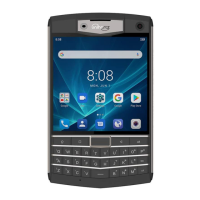

 To Next Page