2. Open your web browser, and go to: http://start
o The web interface of the Titanium will now open.
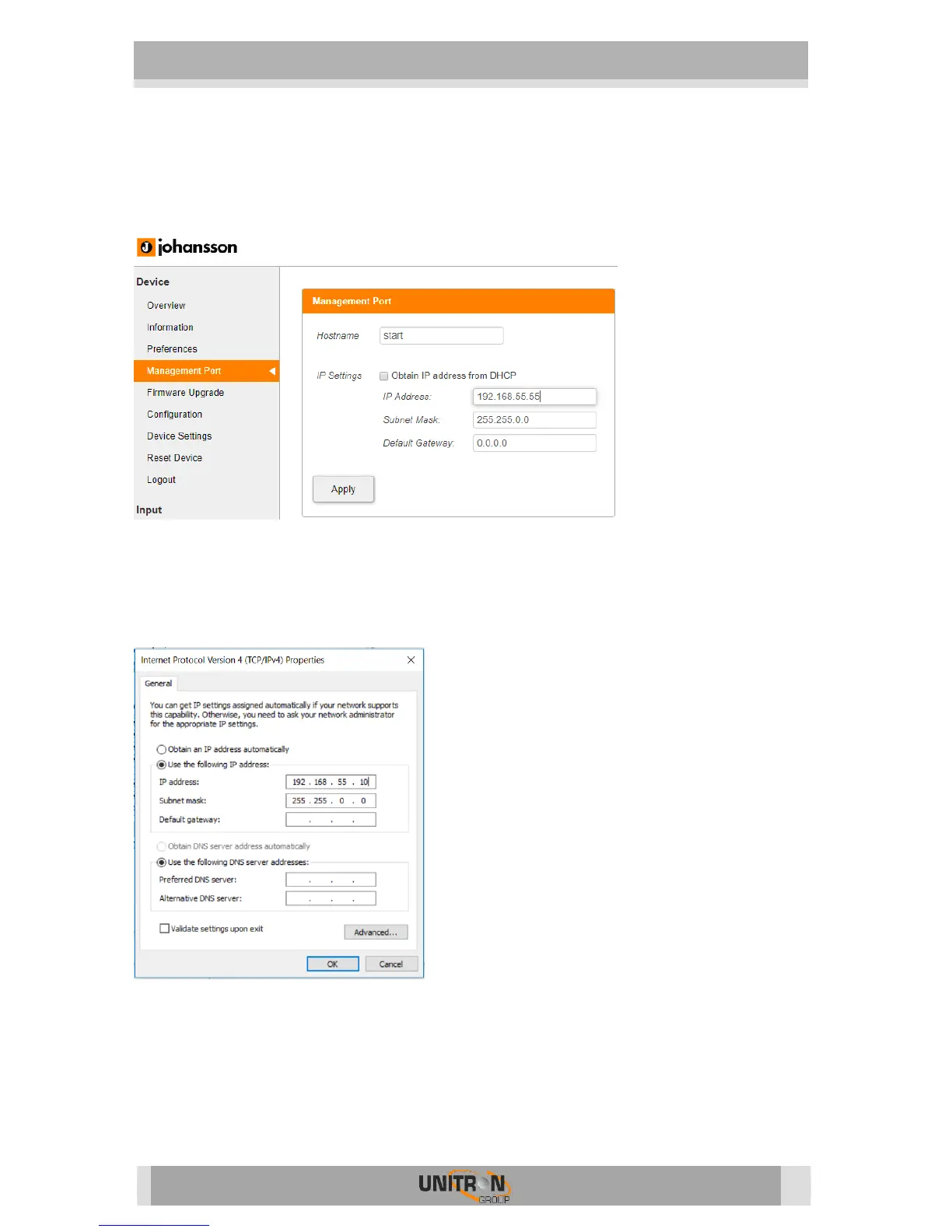
o Go to Management Port
o Tick off Obtain IP address from DHCP
o Choose an IP Address, for instance: 192.168.55.55
o Press Apply
3. Go back to Local Area Connection Properties, select Internet Protocol Version 4
(TCP/IPv4) to enter the IP settings of your adapter
o Tick Use the following IP address
o Fill in the IP address you chose in the Titanium Management Port, but
make sure that the last group of digits is different, for instance:
192.168.55.10
4. Open your webbrowser and go to http://start
Now a stable connection is guaranteed


 To Next Page