8
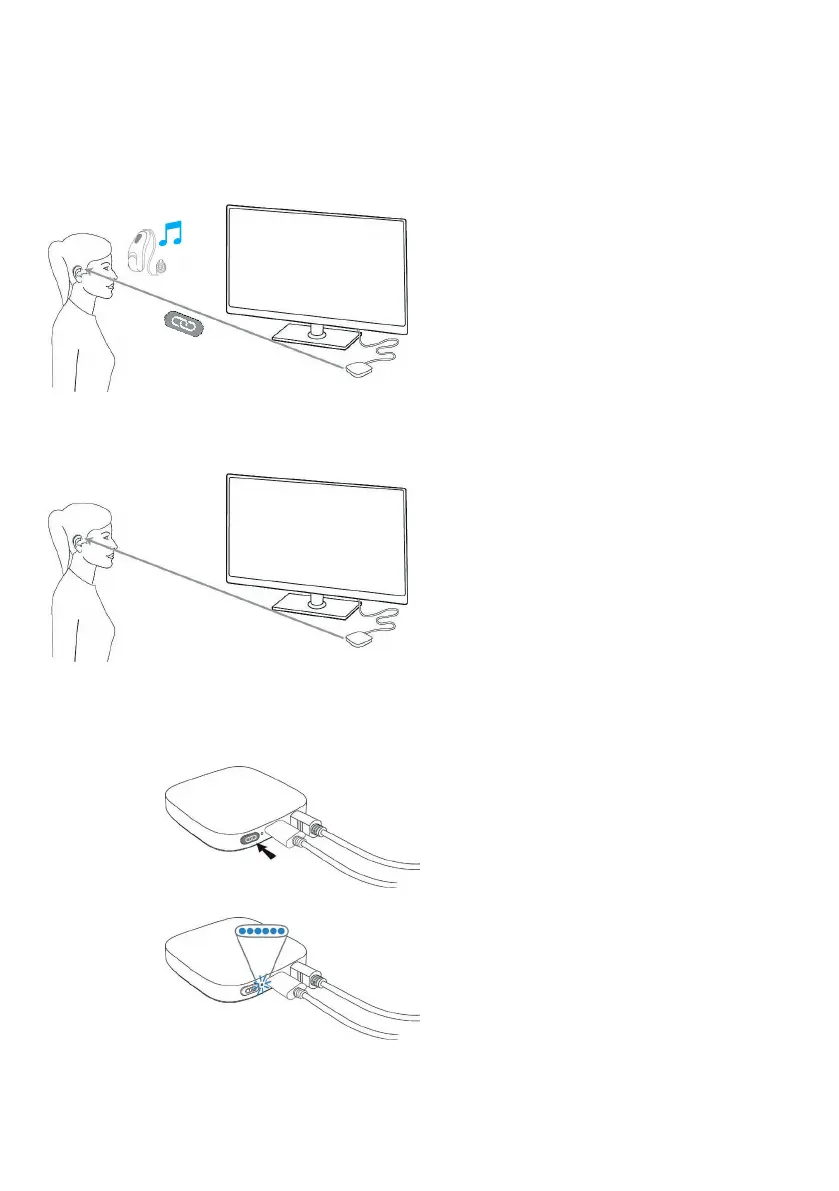
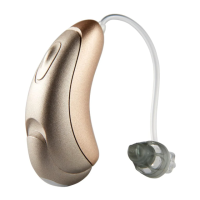
The first time the TV Connector is
connected to a power source, connection
to the Moxi All hearing aid(s) is
automatic. Moxi All hearing aid(s) must
be within a range of 3 feet of the TV
Connector when pairing. Once it is paired
with the TV Connector, the patient will
hear a confirmation melody in their Moxi
All hearing aid(s).
Once the audio source is on, the audio
signal will be transmitted directly to
the Moxi All hearing aids via the TV
Connector. A high quality audio signal is
guaranteed within a 45 feet range. Moxi
All hearing aids will automatically connect
to the TV broadcast program once a
signal is detected.
To connect new Moxi All hearing aid(s)
to the TV Connector, press the connect
button on the back of the TV Connector;
the LED indicator light will blink blue.
Make sure the Moxi All hearing aid(s)
are within a range of 3 feet from the TV
Connector.
How to connect the
TV Connector to Moxi All
TV Connector
TV Connector
3 feet
45 feet
Moxi All
Moxi All


 To Next Page