36 37
1
2
4
3
5
6
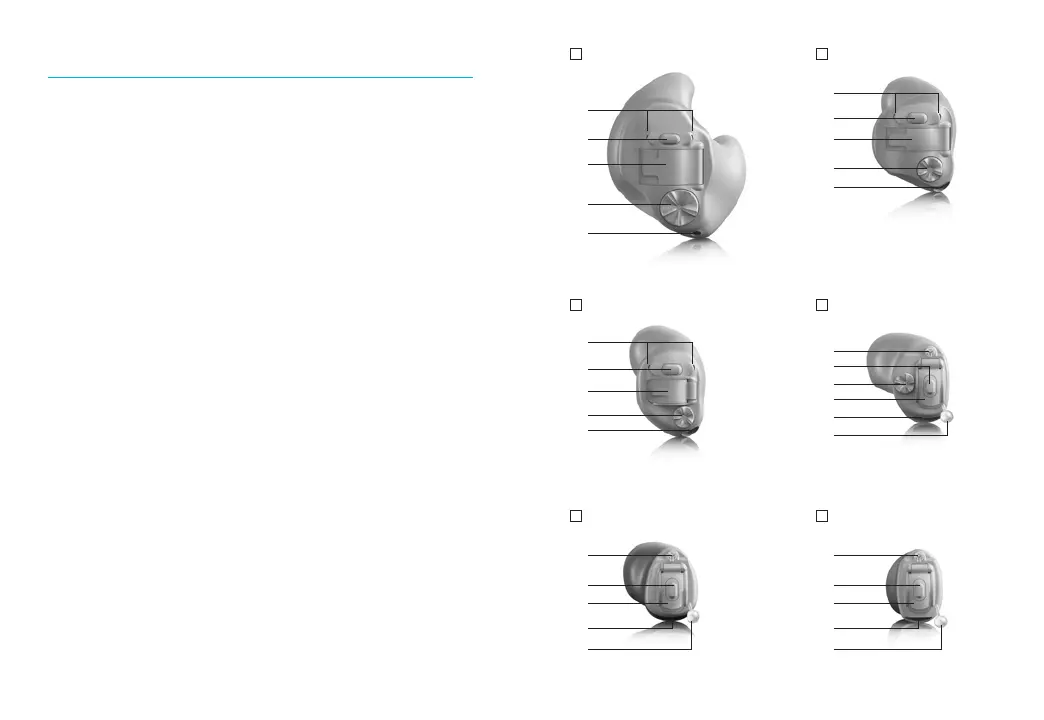
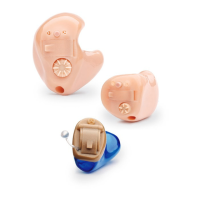
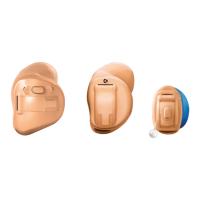
Full shell Half shell / canal
Mini canal directional
Mini canal omni
IIC (Invisible-in-the-canal) CIC (Completely-in-the-canal)
1
2
3
4
5
1
2
3
4
5
1
2
3
4
5
1
2
3
5
6
1
2
3
5
6
Your ITE hearing aids at a glance
1 Microphone - sound enters your hearing aids
through the microphones. Microphone shield -
protects microphones from dirt & debris
2 Push button - switches between listening
programs or changes the volume level,
depending on your customized tting.
3 Battery door (on & o) - close the door to turn on
your hearing aids, open the door all the way to
turn o your hearing aid or to change the battery
4 Rotary dial - controls the volume
5 Vent - aids in the reduction of occlusion making
your own voice sound better
6 Removal handle - assists in removing very small
hearing aids from the ear canal




 To Next Page