EasyManua.ls Logo

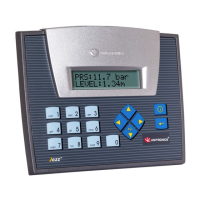
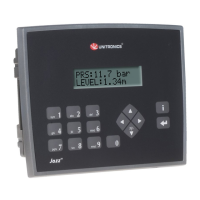
Unitronics Jazz JZ20-UA24 - User Manual

Unitronics Jazz JZ20-UA24
17 pages
Print Icon
To Next Page IconTo Next Page
Loading...
Unitronics
1
Jazz
®
User Guide
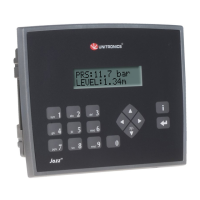
JZ20-UA24/JZ20-J-UA24
9 Digital Inputs including one HSC, 2 Analog/Digital
inputs, 2 Analog Inputs, 2 PT100/TC,5 Relay Outputs, 2
Transistor Outputs, 2 Analog Outputs
JZ20-UN20/JZ20-J-UN20
9 Digital Inputs including one HSC, 2 Analog/Digital
Inputs, 1 Analog Input ,1 PT100/TC , 5 Relay Outputs, 2
Transistor Outputs
Symbol
Meaning
Description
Danger
The identified danger causes physical and property damage.
Warning
The identified danger could cause physical and property damage.
Caution
Caution
Use caution.
Failure to comply with appropriate safety guidelines can cause severe injury or property
damage.
Do not attempt to use this device with parameters that exceed permissible levels.
To avoid damaging the system, do not connect/disconnect the device when power is on.
Environmental Considerations
Do not install in areas with: excessive or conductive dust, corrosive or flammable gas,
moisture or rain, excessive heat, regular impact shocks or excessive vibration, in
accordance with the standards given in the product’s technical specification sheet.
Do not place in water or let water leak onto the unit.
Do not allow debris to fall inside the unit during installation.
Ventilation: 10mm space required between controller’s top/bottom edges & enclosure walls.
Install at maximum distance from high-voltage cables and power equipment.

Other manuals for Unitronics Jazz JZ20-UA24

Question and Answer IconNeed help?

Do you have a question about the Unitronics Jazz JZ20-UA24 and is the answer not in the manual?

Summary

Mounting

Physical Dimensions and Cut-out

Specifications for unit dimensions, panel cut-out, and display viewable area.

Integral USB Port

Information about the built-in USB port, potentially used for programming.

Mounting Methods

Detailed instructions for DIN-rail and panel mounting procedures.

Wiring

Wiring Procedure

Step-by-step instructions for preparing and connecting wires to terminals.

Wiring Guidelines

Best practices for organizing and routing wires to ensure proper system operation.

Earthing the Product

Procedures for grounding the product to maximize performance and avoid interference.

UL Compliance

UL Ordinary Location Standard

Requirements for installing the device in ordinary locations according to UL standards.

UL Panel Mounting Requirements

Specific panel mounting instructions to meet UL hazardous location standards.

Communication and Memory Storage

Guidelines for using USB and SD card slots, noting they are not for permanent connection.

Battery Replacement Safety

Procedure and safety precautions for removing or replacing the device's battery.

Digital Inputs

Input Wiring Configurations

Diagrams illustrating npn, pnp, and mixed wiring for digital inputs.

Controller Power Supply for Inputs

Information on the power supply connections for digital inputs.

Analog Inputs

Current Input Wiring

Diagrams for connecting current-based analog inputs (2, 3, or 4 wire).

Voltage Input Wiring

Diagrams for connecting voltage-based analog inputs.

Thermocouple and PT100 Input Wiring

Wiring details for thermocouple and PT100 sensor inputs, including wire colors.

RTD and Thermocouple Inputs

RTD Input Specifications

Details on RTD types, ranges, resolution, and accuracy.

Thermocouple Input Specifications

Details on thermocouple types, ranges, resolution, and accuracy.

Technical Specifications

Power Supply Specifications

Details on input voltage, permissible range, and current consumption.

Digital Input Specifications

Information on input type, number, voltage, current, and response time.

Digital Output Specifications

Specifications for relay and transistor outputs, including current and frequency.

Analog Input;Output Specifications

Details on analog input/output ranges, impedance, resolution, and accuracy.

Communication

HMI and Communication Variables

Variables for HMI display and communication protocols like GSM and MODBUS.

USB Port Usage

Details on the USB port for programming, communication, and add-on modules.

Add-on Module Communication

Information on using add-on modules for programming, modems, and networking.

Summary

Mounting

Physical Dimensions and Cut-out

Specifications for unit dimensions, panel cut-out, and display viewable area.

Integral USB Port

Information about the built-in USB port, potentially used for programming.

Mounting Methods

Detailed instructions for DIN-rail and panel mounting procedures.

Wiring

Wiring Procedure

Step-by-step instructions for preparing and connecting wires to terminals.

Wiring Guidelines

Best practices for organizing and routing wires to ensure proper system operation.

Earthing the Product

Procedures for grounding the product to maximize performance and avoid interference.

UL Compliance

UL Ordinary Location Standard

Requirements for installing the device in ordinary locations according to UL standards.

UL Panel Mounting Requirements

Specific panel mounting instructions to meet UL hazardous location standards.

Communication and Memory Storage

Guidelines for using USB and SD card slots, noting they are not for permanent connection.

Battery Replacement Safety

Procedure and safety precautions for removing or replacing the device's battery.

Digital Inputs

Input Wiring Configurations

Diagrams illustrating npn, pnp, and mixed wiring for digital inputs.

Controller Power Supply for Inputs

Information on the power supply connections for digital inputs.

Analog Inputs

Current Input Wiring

Diagrams for connecting current-based analog inputs (2, 3, or 4 wire).

Voltage Input Wiring

Diagrams for connecting voltage-based analog inputs.

Thermocouple and PT100 Input Wiring

Wiring details for thermocouple and PT100 sensor inputs, including wire colors.

RTD and Thermocouple Inputs

RTD Input Specifications

Details on RTD types, ranges, resolution, and accuracy.

Thermocouple Input Specifications

Details on thermocouple types, ranges, resolution, and accuracy.

Technical Specifications

Power Supply Specifications

Details on input voltage, permissible range, and current consumption.

Digital Input Specifications

Information on input type, number, voltage, current, and response time.

Digital Output Specifications

Specifications for relay and transistor outputs, including current and frequency.

Analog Input;Output Specifications

Details on analog input/output ranges, impedance, resolution, and accuracy.

Communication

HMI and Communication Variables

Variables for HMI display and communication protocols like GSM and MODBUS.

USB Port Usage

Details on the USB port for programming, communication, and add-on modules.

Add-on Module Communication

Information on using add-on modules for programming, modems, and networking.

Unitronics Jazz JZ20-UA24 Specifications

General IconGeneral
BrandUnitronics
ModelJazz JZ20-UA24
CategoryController
LanguageEnglish

Related product manuals