
 Need help?
Do you have a question about the Universal Electronics DST-400 and is the answer not in the manual?
Explains how to switch control between different devices using dedicated mode keys.
Details how to program the remote for universal volume control across devices.
Describes the use of the AUX mode for controlling additional devices.
Explains how mode keys function as indicator lights for the active device.
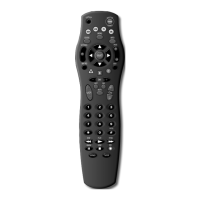
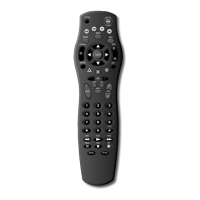
Illustrates and details the functions of all keys on the DST-400 universal remote control.
Step-by-step instructions to program the remote for cable terminal control.
Instructions for programming the remote to control a TV set.
Steps to program the remote for controlling a VCR.
Guide to programming the AUX mode for additional devices.
How to configure the remote to control volume for specific devices.
Guidance for when a programmed device does not respond to the remote.
Instructions on using the automatic code search function.
A list of device codes for various cable terminals.
A list of device codes for numerous television brands.
Device codes for digital audio tuners and services.
A list of device codes for various VCR brands.
How to use the 'Blink Back' feature to retrieve programmed device codes.
 General
| Brand | Universal Electronics |
|---|---|
| Model | DST-400 |
| Category | Remote Control |
| Language | English |




 To Next Page