7
Type in Section Title
M
X
9
5
0
A
U
R
O
R
A
C
O
L
O
R
L
C
D
C
O
N
T
R
O
L
S
COMP L ETE
CONTROL
™
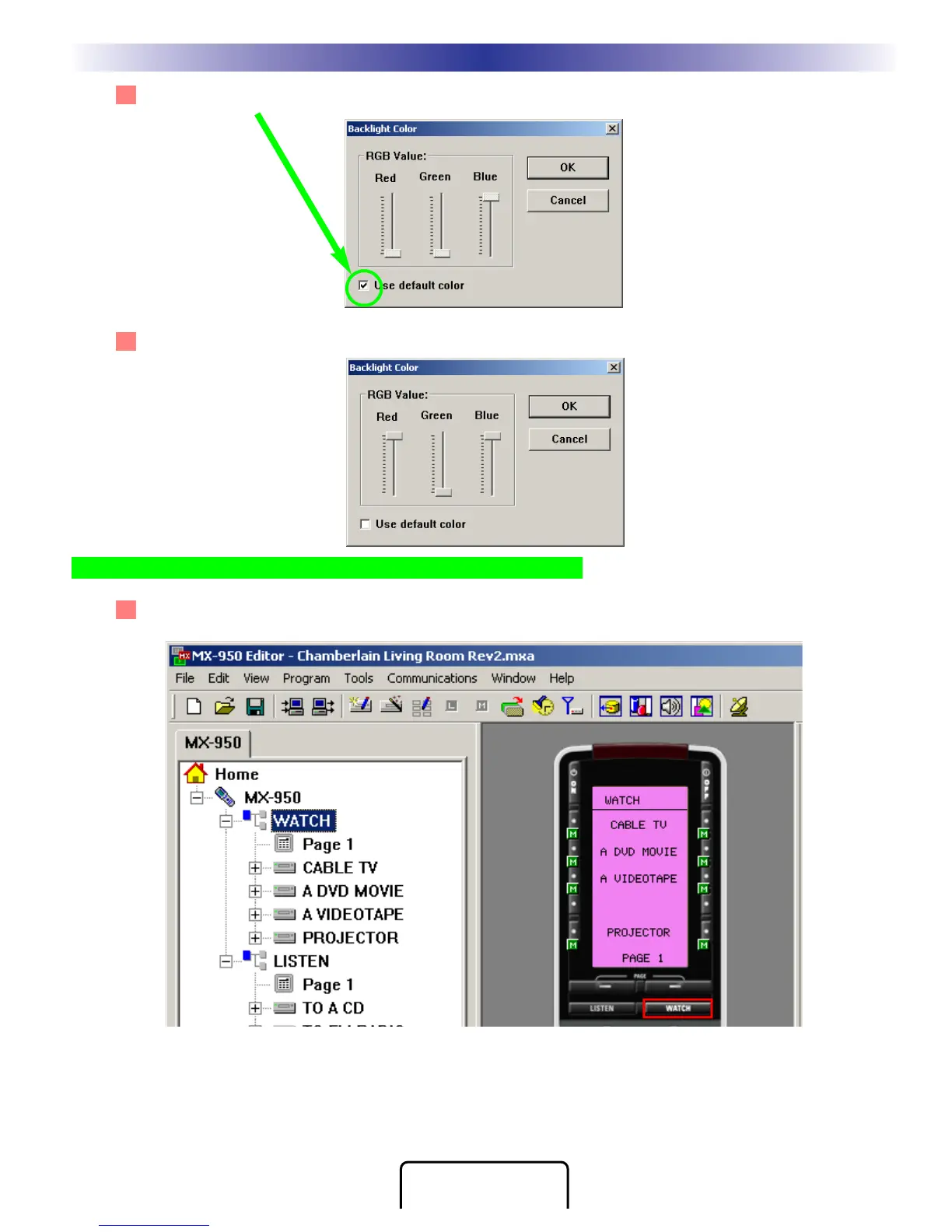
2 Uncheck the Use Default Color checkbox, by clicking on it.
3 Adjust the sliders to the new color setting, then click on OK to save your changes.
TIP - Use two colors or more for the brightest backlighting!
4 The new color now shows on the simulator.
Creating, Naming and Arranging Devices








 To Next Page