6
Type in Section Title
U
S
I
N
G
M
X
9
5
0
E
D
I
T
O
R
T
O
P
R
O
G
R
A
M
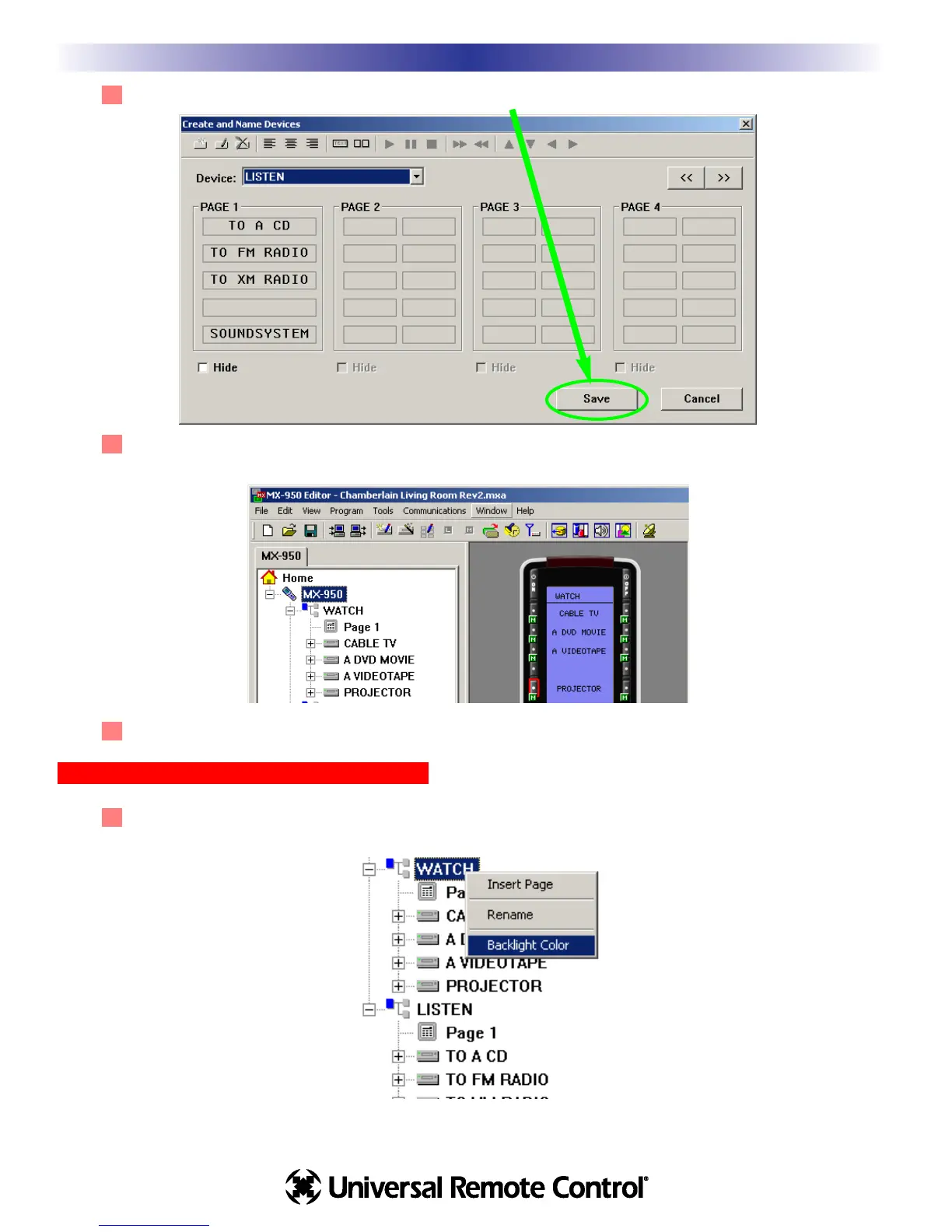
3 You must hit the SAVE button to create all the new devices.
4 Tree View reveals the new devices you’ve created and the simulator shows the new WATCH page,
with all the new device buttons displayed.
5 Select SAVE from the File menu or click on the SAVE icon on the toolbar.
Setting the Backlight Color of Each Device
1 Right click on any device in Tree View (including the WATCH or the LISTEN device). Select Backlight
Color from the context menu that appears.
Creating, Naming and Arranging Devices








 To Next Page