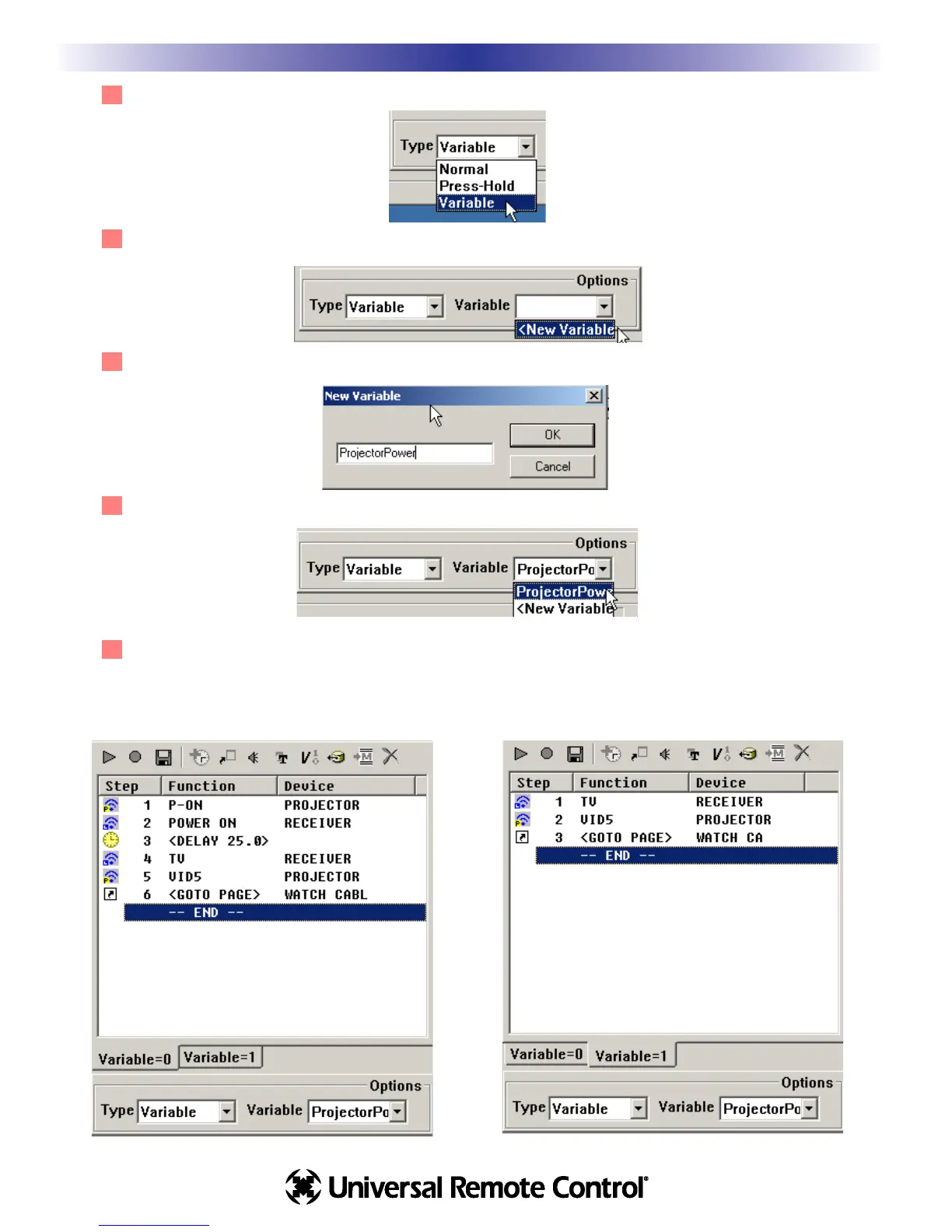
2 In the Type list box at the bottom of the Macro Window, select Variable as the type.
3 In the Variable list box that now appears, select New Variable.
4 In the New Variable window that opens, type in a descriptive name, then click on OK.
5 Verify that the new variable name appears in the Variable window as the selection.
6 Now your macro window displays two different tabs. One is the macro that will be sent when the
projectorpower variable = 0, the other when the projector power variable = 1. Program the macro in
Variable=0 with the Power On commands and the delay, while the macro in Variable=1 does not.
32
Macro Programming
U
S
I
N
G
M
X
9
5
0
E
D
I
T
O
R
T
O
P
R
O
G
R
A
M
ProjectorPower Variable = 0
ProjectorPower Variable = 1








 To Next Page