9.
Processor vertion
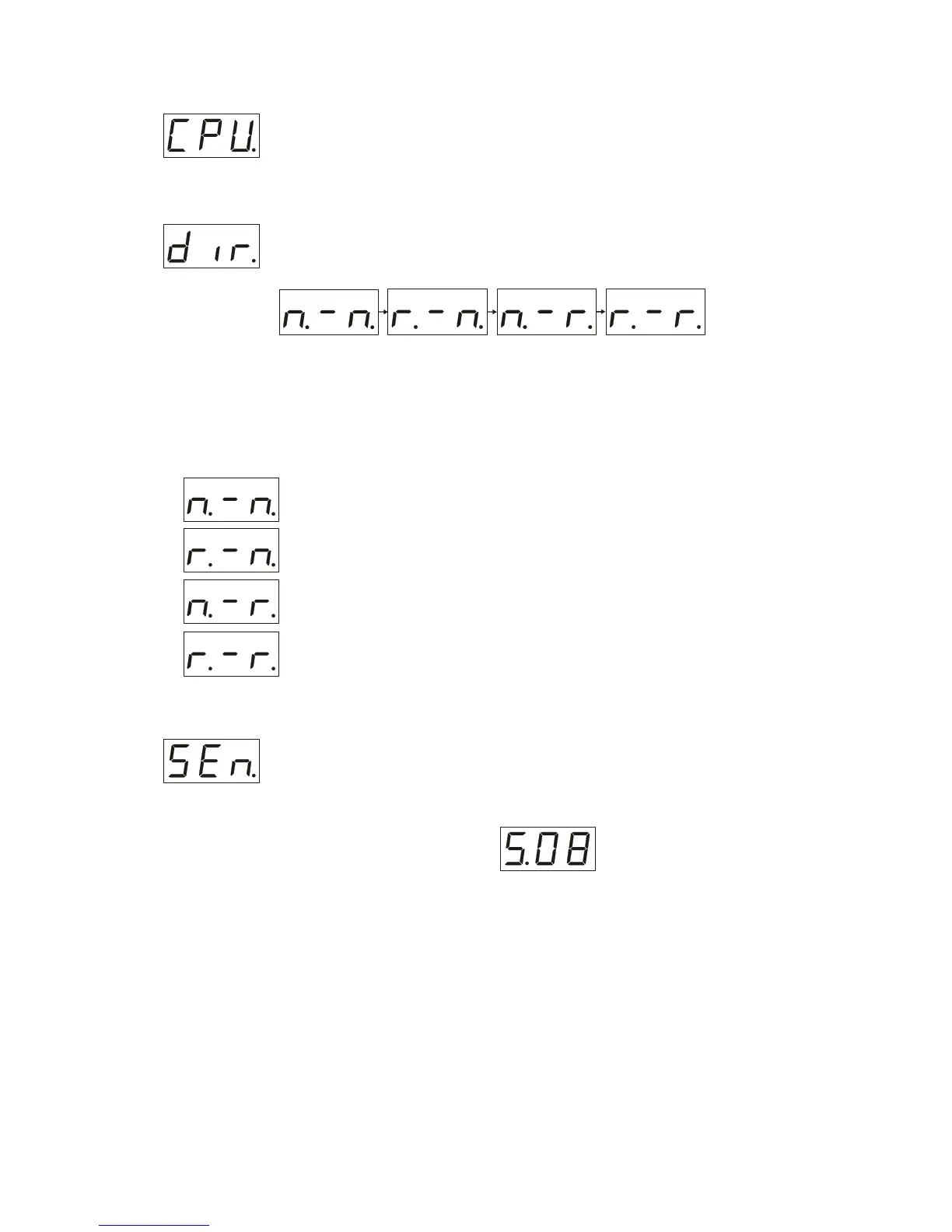
In “SEr menu” after display shows “SEr” press the ”mode” button, then with the help
of “up” and “down” buttons you get set “CPU” on the LCD display, after that press
“Enter”. This information could be of help when you address to the service center.
Rotation direction
In “SEr menu” after display shows “SEr” press the ”mode” button with the help of
“up” and “down” set “dir” on the LCD display , after that press “Enter” button it will
open “ dir menu” (see below).
To navigate in this portion of menu use “up” and “down” buttons. The first index on the
LCD display shows the direction of rotation of the “pan” motor the last index – the
direction of rotation of the “tilt” motor: “n” – normal, “r”- reversed.
To choose the combination needed press “Enter” button
Examples
– “pan” rotation – normal, “tilt” rotation – normal.
– “pan” rotation – reversed “tilt” rotation – normal
– “pan” rotation – normal, “tilt” rotation – reversed
– “pan” rotation – reversed, “tilt” rotation – reversed
Regulation of the built in microphone sensitivity
Being in “SEr menu” press the ”mode” button , then with the help of “up” and
“down” buttons you set “SEn” on the LCD display, then press “Enter” you will get
“S.08” as it shown on the picture:
Switch on the music reproduction source with acquired pressure and using “up” and
“down” buttons get the display blink in accordance with the music rhythm, press
“Enter” button then press ”mode” button to get to the “main menu”.
Choose “Sound activated mode” press “Enter” button to confirm your choice.


 To Next Page
 Loading...