10.
Limitation of “Pan” and “Tilt” angles
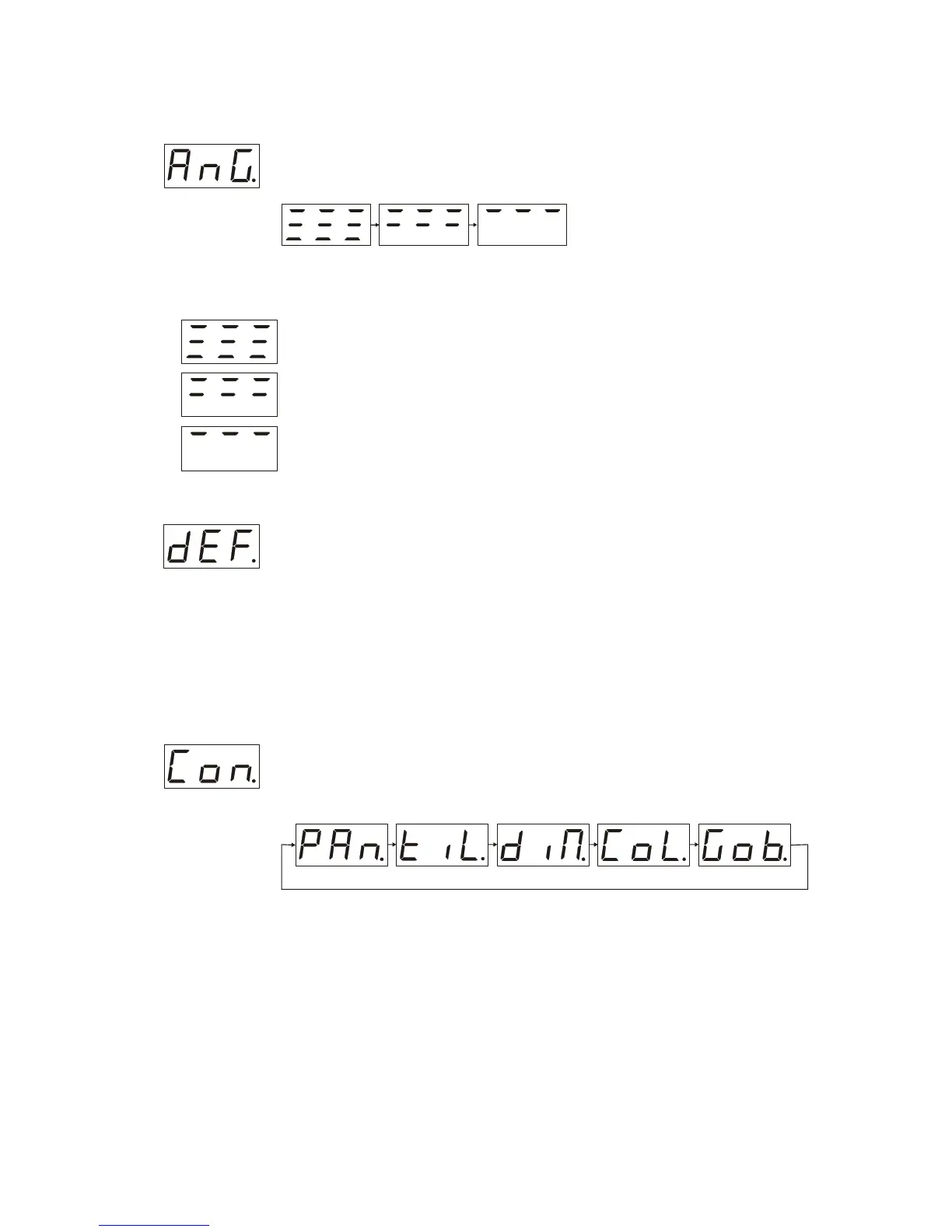
Being in “SEr menu” press the ”mode” button with the help of “up” and “down”
buttons set “AnG” on the LCD display after that press “Enter” it will open “AnG
menu” (see below).
To navigate this part of menu use “up” and “down” buttons
You would deal with three options:
No limitation of “Pan” and “Tilt” angles.
“Pan” -180 grad. and “Tilt” without limitation.
“Pan” -90 grad. and “Tilt” 90 grad.
Default options
Being in “SEr menu” press the ”mode” button with the help of “up” and “down”
buttons set “dEF” on the LCD display after that press “Enter” and hold it for 6
seconds till the moment the “dEF” on the display will stop to blink, press ”mode”
button to return to the “main menu”.
Doing this you will return to the following options:
1. The rotation of “pan” “tilt” motors will get back to normal in the “dir menu”.
2. No limitation of “Pan” and “Tilt” angles in the “AnG menu”.
3. The built in microphone sensitivity will be S.08 in the “SEn menu”.
Manual operation
Being in “SEr menu” press the ”mode” button with the help of “up” and “down”
buttons set “Con” on the LCD display after that press “Enter” it will open “ Con
menu” (“Con menu”)
You will need ”mode” button. to navigate this particular menu .
To control the unit in this manual operation mode you need to deal with “up” and “down”
buttons. To quit press “Enter”



 To Next Page