7.
Service mode
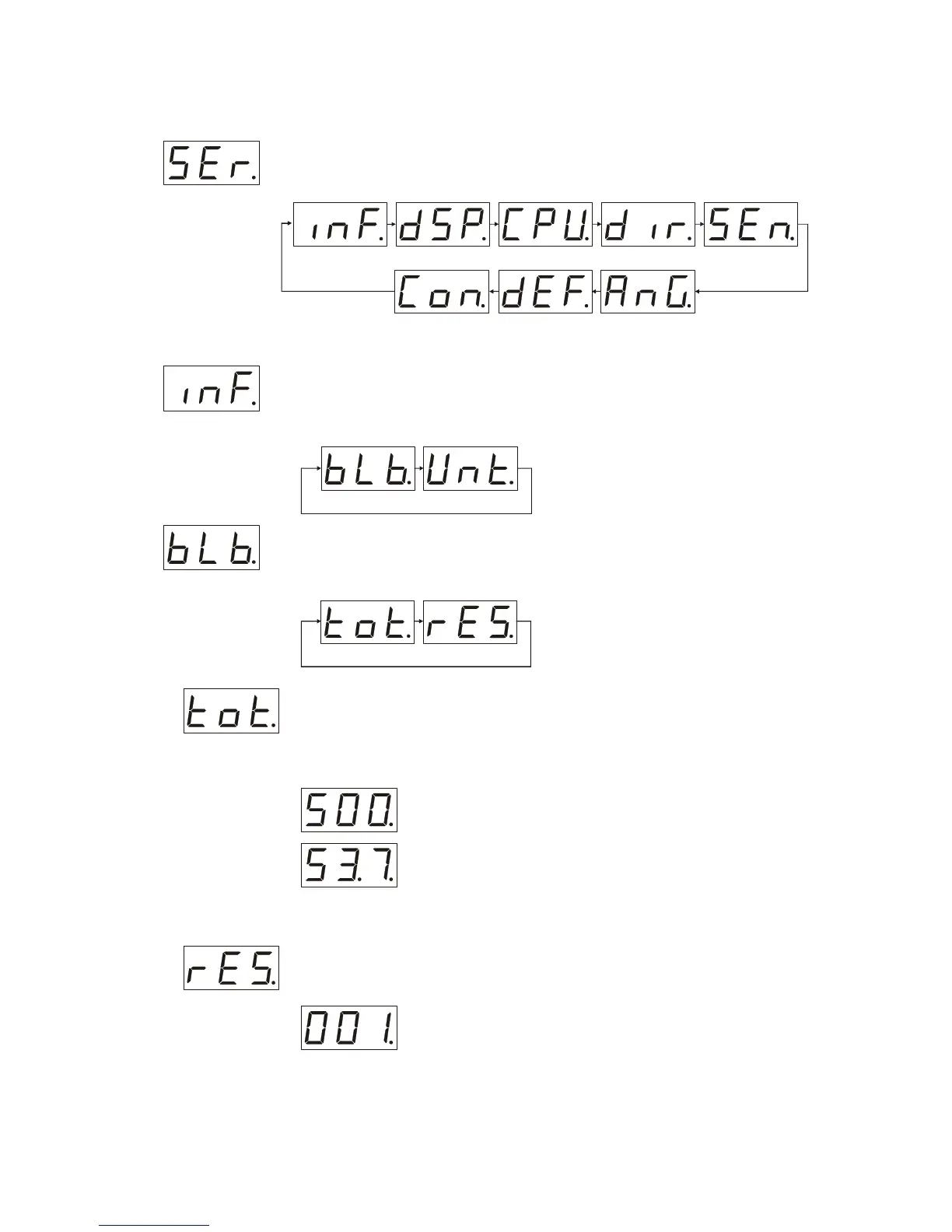
With the help of the “up” and “down” buttons set “SEr” on the LCD display (“Ser
menu” is a high level menu represented on the picture below).
Accumulated operating time info
After display shows “SEr” press the ”mode” button with the help of “up” and “down”
set “inF” on the LCD display, after that press “Enter” button it will open menu (“inf
menu”):
Тo navigate in this portion of menu use “up” and “down” buttons , to choose the item
of menu press the ”mode” button , doing so you will see “blb.” (“bulb menu”) press
“Enter” to proceed or ”mode” button to quit.
Navigating by pressing “up” and “down” buttons you can find the total operating
time after you set “tot” on the LCD display then press “Enter” the number which
appears will show the accumulated operating time of the bulb in tens of hours (if you
have got an additional dot after second unit plus 10000 hours to the number on
display and 20000 if the dot appears after the first one).
Examples
– the total accumulated operating time is 5000 hours
– the total accumulated operating time is 15370 hours (10 000 +
5370)
To return to “ inf menu” press “Enter”
Navigating in “bulb menu” using “up” and “down” buttons set “rES” on display,
then press “Enter” and you find out an accumulated operating time of the last bulb
(in tens of hours).
Examples
– the operating time of the last bulb is 10 hours
When you replace a bulb and want to start a counter from zero point you need being
in the “rES menu” to press and hold the ”mode” button not less than for 3 seconds.



 To Next Page