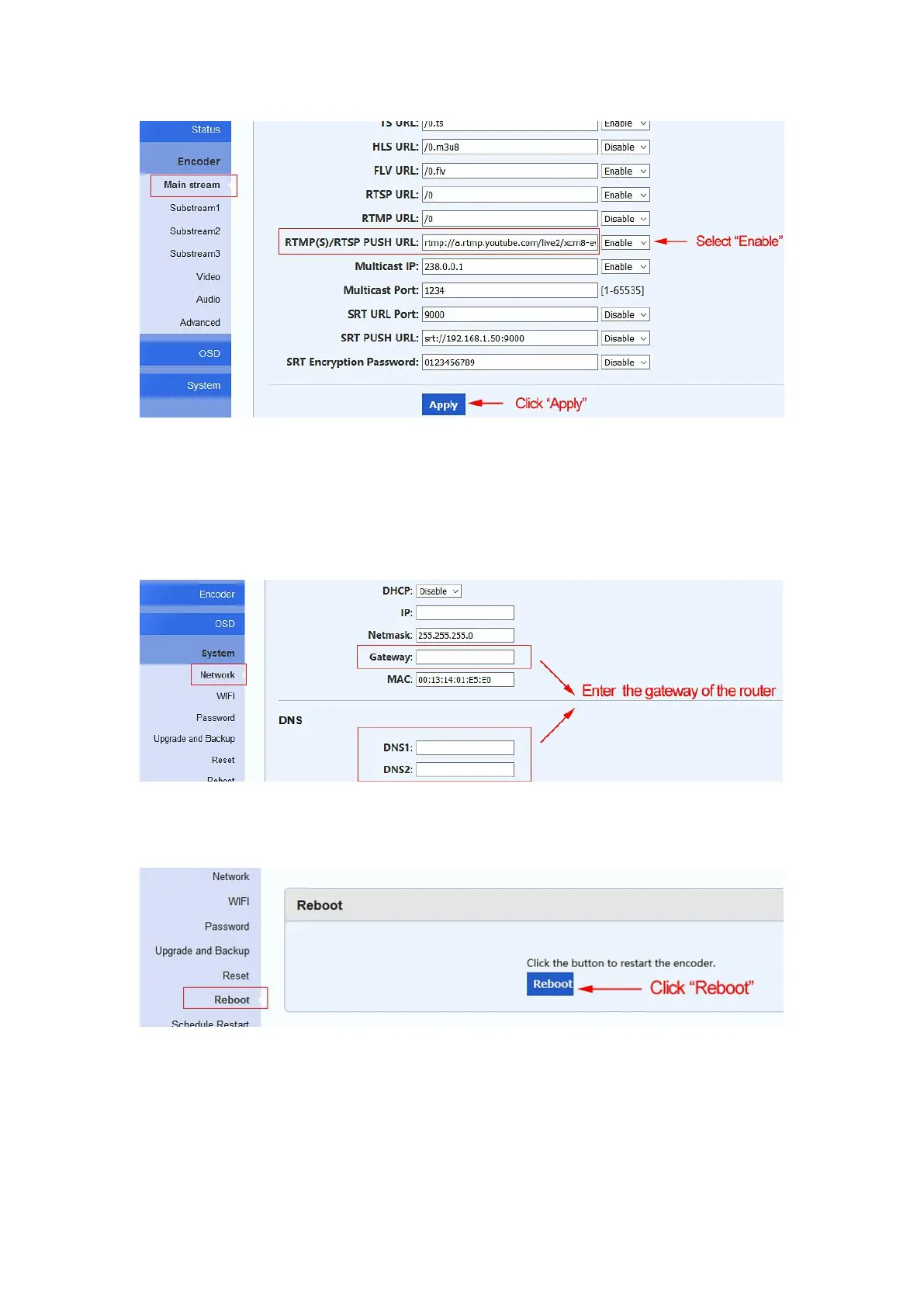
Step 4. Configure the setting of ‘'DNS1'' and ‘'DNS2'' and ‘'Gateway'', then click ''Apply''
Enter the gateway of the router to the setting of the ’’DNS1’’ and ‘‘DNS2’’ and ‘‘Gateway’’.
You can find the gateway of the router in step 4 of chapter 2.1 or step 5 of chapter 2.2.
Step 5. Click ''Reboot'' to restart the video encoder
Step 6. Check if the video encoder is connected to YouTube.
If ‘‘Connected’’ is displayed, it means the video encoder is connected to YouTube already.


 To Next Page